

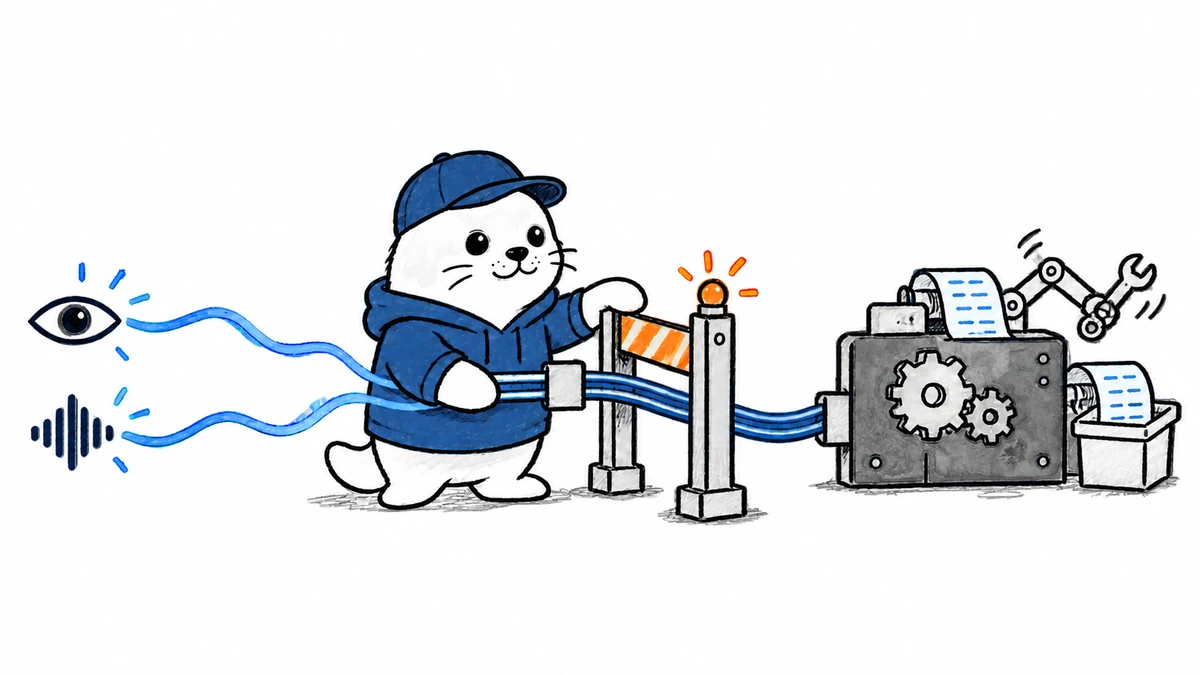
Qwen’s new desktop harness does more than hold a live conversation. It can watch, listen, remember and hand work to a coding agent, which makes the approval boundary as important as the model.
Qwen Live Harness 1.0.0 arrived on September 21, 2026 alongside Qwen3.8-Omni-Flash-Realtime. The Apache-2.0 desktop application combines streaming audio and video, proactive monitors, local long-term memory and background task delegation. Its documented adapters can route work to Qwen Code, Qoder CLI, Codex, Claude Code and Gemini CLI. The important limitation is availability: the repository says the realtime model identifier can be region-dependent or invitation-only, while Alibaba Cloud’s public model and pricing pages had not yet caught up cleanly at publication time.
What the Qwen Live Harness actually connects
| Layer | Documented role | Operational consequence |
|---|---|---|
| Realtime model | Processes live audio and video and produces responses | Requires a compatible DashScope region and model entitlement |
| Desktop harness | Coordinates feeds, monitors, memory and approvals | Currently documented as a full macOS 12+ experience |
| Background agent | Performs coding, file and command work | Must be installed and configured separately |
| Memory | Stores durable context locally | Some consolidation and embedding content can still reach configured APIs |
| Monitors | Sample visual, audio and time-based conditions | Useful for assistance, but explicitly not safety-critical monitoring |
This is not a single autonomous model running every capability inside one process. It is a coordinator. The realtime model handles conversation and perception, while the harness passes selected background tasks to another agent. That distinction explains why a user may be able to talk to the assistant but still lack working file edits or command execution.
Delegation turns conversation into an execution workflow
A user can discuss what appears on screen, ask for a coding change and let the harness send the task to a configured agent. The repository documents ACP-based and adapter-based integrations for several coding tools. Approval requests from those agents can surface in the desktop interface rather than disappearing inside a background process.
- The realtime session receives voice, camera or screen context.
- The harness decides that the request needs background execution.
- A configured coding-agent adapter receives the bounded task.
- The agent requests permission when an operation requires approval.
- The harness returns progress or results to the live session.
That path should be tested with deliberately rejected actions. Confirm that a rejected command stops, that a changed task triggers a new approval and that the live model cannot rephrase the request to bypass the boundary. The recent Qwen Code 0.24.1 guide covers the separate browser, voice and container controls inside Qwen’s coding environment.
The data does not all stay in the same place
The repository describes memory as local, but local storage is only one part of the data path. Live audio and video must reach the realtime service. Monitor frames and chunks are processed by configured models. Memory consolidation can send content to a language model, while embedding generation can send text to an embedding endpoint. Background coding agents may introduce their own providers, logs and retention rules.
| Data type | Likely destination | Check before use |
|---|---|---|
| Live voice and video | DashScope realtime endpoint | Region, retention and workplace consent |
| Screen Live Feed | Realtime perception path | Visible credentials, private messages and customer data |
| Monitor samples | Configured vision or audio models | Sampling rate and unnecessary background capture |
| Durable memories | Local files plus model-assisted consolidation | Deletion, backup and API exposure |
| Delegated task context | Selected coding agent and its provider | Repository scope, command rights and logs |
Screen monitoring is intentionally low-rate
The documented Live Feed defaults to one frame per second at 720p. Proactive visual monitors also use fixed low-rate samples, while audio monitors work with short chunks. That is enough to notice broad state changes, not enough to guarantee detection of every transient event. A notification that flashes between samples may never enter the model’s context.
- Do not use the harness as a security alarm, medical observer or industrial safety system.
- Test fast state changes rather than only static screens.
- Record how many frames and audio chunks each monitor sends.
- Disable monitors that do not produce a measurable benefit.
- Keep sensitive applications outside the captured display when possible.
Availability is the biggest launch-day ambiguity
The harness uses qwen3.8-omni-flash-realtime as its default model identifier. The same repository warns that the full identifier may be an invitation-only alias and that availability depends on the selected DashScope region. Beijing and Singapore-region API keys are not interchangeable. At review time, Alibaba Cloud’s general supported-model and pricing pages did not provide a clean matching entry for this realtime 3.8 model.
That documentation gap means readers should not assume a universal launch or quote a price from a different Qwen realtime model. Verify the exact model identifier in the intended account and region before installing the harness for a team. The broader Qwen3.8-Omni-Flash guide covers the separate non-realtime multimodal API and its one-million-token context option.
A practical evaluation plan
- Confirm the realtime model is enabled in the same region as the API key.
- Install the desktop harness on a disposable macOS user profile.
- Begin with microphone-only conversation and no background agent.
- Add screen sharing with a test desktop containing no sensitive data.
- Enable one monitor and measure its capture volume, latency and false alerts.
- Connect one coding agent with a test repository and restricted command set.
- Exercise approval, rejection, timeout and task-cancellation paths.
- Inspect local memory files and provider logs before enabling durable use.
The practical verdict
Qwen Live Harness is a significant open-source attempt to join continuous multimodal interaction with established coding agents. Its useful idea is the handoff, not a claim that one model does everything. Today it is best treated as a macOS evaluation environment with explicit data-flow and approval tests. Teams should wait for clear regional entitlement and matching pricing documentation before promising broad deployment.
Primary sources
- Qwen Live Harness repository and documentation
- Qwen Live Harness v1.0.0 release
- Alibaba Cloud supported models
- Alibaba Cloud model pricing
Checked September 21, 2026. Model access and pricing remain region-sensitive and should be verified in the target DashScope account.


