Vercel Connect for Microsoft Teams gives developers a managed path to run AI agents from mentions, channels and direct messages with scoped, revocable access.
Vercel Connect for Microsoft Teams launched September 21, 2026. Vercel handles the Entra application and Azure Bot registration that normally sit between a Teams conversation and an agent backend. The feature reduces setup work, but organizations still need tenant approval, an Azure subscription and a clear permission boundary for every connected environment.
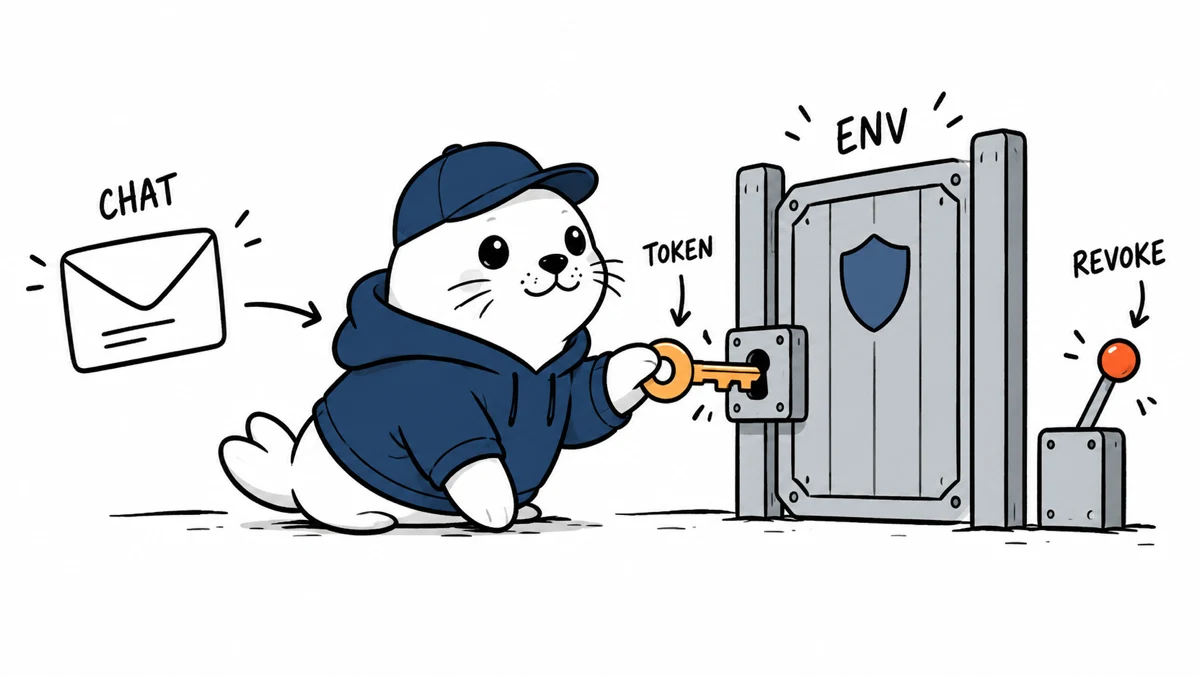
The managed connection in one flow
| Stage | What happens | Control point |
|---|---|---|
| Conversation | User mentions the agent, posts in a channel or sends a DM | Who can invoke the bot |
| Identity | Teams and Entra establish the user and tenant context | Tenant admin consent |
| Token | Connect issues scoped, short-lived access | Scope and expiry |
| Environment | The request reaches an attached Vercel environment | Production versus preview separation |
| Response | The agent replies in Teams | Logging, citations and human approval |
What Vercel manages
Vercel says the connector registers the necessary Microsoft Entra application and Azure Bot resources. That removes a significant integration burden from application teams. The organization still needs an eligible Microsoft tenant, an Azure subscription and an administrator who can approve the connection.
The benefit is repeatability: a developer can focus on the agent behavior while Vercel manages the platform plumbing. The tradeoff is another managed dependency, so incident plans should include the Vercel project, Microsoft tenant and Azure resource path.
Short-lived tokens are only one layer of safety
Vercel describes scoped, short-lived tokens and revocable connections. Those are strong defaults because a leaked token has a narrower window and an administrator can disconnect the integration. They do not answer every authorization question. The agent still needs tool-level rules that distinguish reading status, changing configuration, deploying code and exposing secrets.
- Bind each Teams connection to the smallest necessary environment.
- Keep production actions behind an explicit approval step.
- Do not place secrets or raw credentials in chat messages.
- Log the user, conversation, tool call, environment and result.
- Provide one documented revocation path for incident response.
Channels and direct messages need different policies
A shared channel creates context for collaboration but increases the audience for responses and accidental prompts. A direct message feels private but can still trigger privileged tools. Define separate allowed actions for public channels, restricted channels and DMs. Sensitive output should use a secure link or approved system rather than copying data into the conversation.
Our Slack Code agents guide examines the same shared-channel signoff problem. The platform is different, but the core rule is stable: chat identity must not silently become deployment authority.
Connect SDK, eve and Chat SDK serve different layers
Vercel positions the integration alongside Connect SDK, its eve agent framework and Chat SDK. Connect establishes the external platform connection. The agent framework handles behavior and tools. Chat SDK provides messaging primitives. Teams should map those layers explicitly so an authentication change is not mistaken for a change in model behavior.
A safe first deployment
- Create a non-production environment with synthetic data.
- Allow only a small pilot group to invoke the agent.
- Start with read-only status and documentation tools.
- Add citations or links for every factual operational answer.
- Test token expiry, revoked access and tenant removal.
- Simulate a malicious prompt in a shared channel.
- Require human confirmation before any write or deployment action.
- Review logs before expanding membership or tool scope.
For a broader model of permission boundaries, see our WebMCP and ChatGPT site-tools guide.
Who benefits most
The connector is most useful for teams already using Vercel and Microsoft Teams that want an agent in the place where operational conversations happen. It is less compelling when policy forbids external bots, when the organization cannot approve the Azure resources or when a simple webhook with read-only output already solves the problem.
Teams should define the failure experience before launch. If the model, Vercel environment or Microsoft connection is unavailable, the bot should state that it could not complete the task and link to the normal operational path. It must not imply that a deployment, approval or incident action succeeded when the tool call timed out.
A quarterly access review should list tenant consent, connected environments, bot membership, active tools and people who can approve writes. Remove unused connections and repeat the revocation test. Managed setup makes the connection easier to create; lifecycle controls keep it safe after the pilot ends.
Primary source
Checked September 22, 2026. Tenant policy, Azure requirements and product availability can change.