

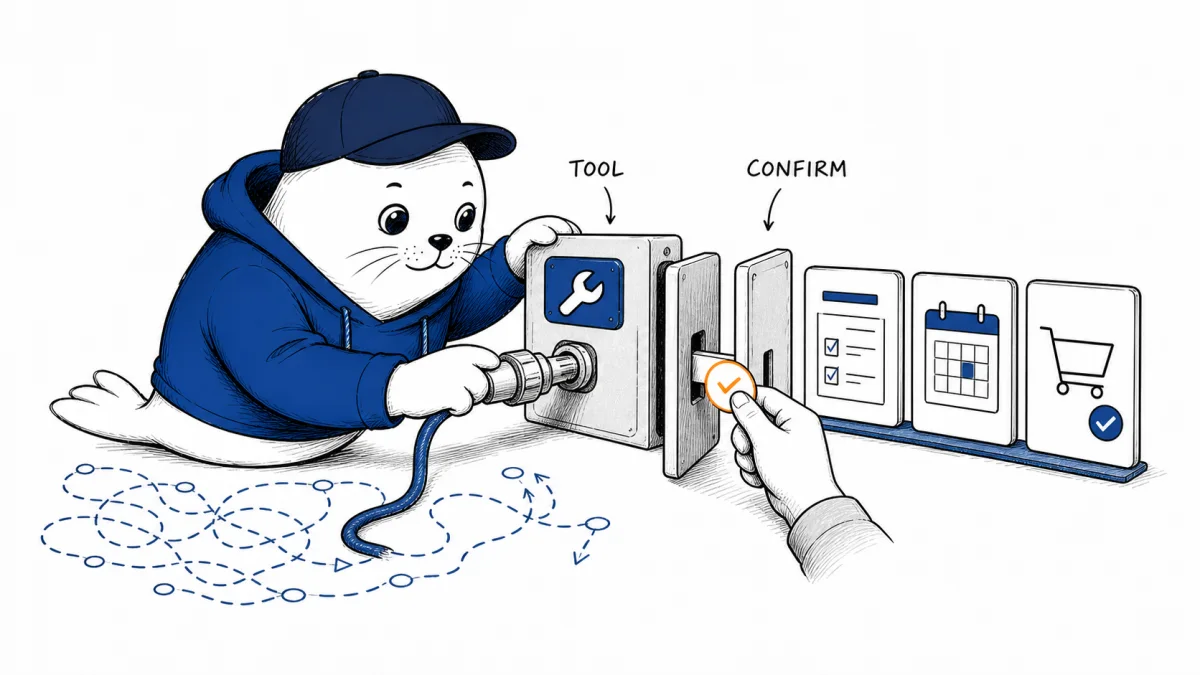
An agent can click a checkout button by reading the screen. WebMCP offers another path: the website can expose a named checkout action with a schema and an expected result. That clarity also creates a new security interface.
WebMCP is an experimental web standard for letting a page publish structured tools to an AI agent running in the browser. A site can expose JavaScript functions or HTML forms as discoverable actions instead of making the agent infer every operation from pixels, labels, and page structure.
OpenAI now supports site tools in the ChatGPT in-app browser when the account, model, and page support the feature. This is early infrastructure, not a universal browser capability or a finalized W3C standard.
September 29 update: Kitesurf adds WebMCP, but its permission model has gaps
Update, September 29, 2026: Cloudflare’s Kitesurf update says its agent-oriented browser can now discover and execute WebMCP tools exposed by a page. Its Browser Run documentation describes two paths: an experimental Chrome Lab session or Kitesurf through a CDP WebSocket connection. The Kitesurf playground provides a manual place to inspect page tools.
The caveat is more important than the demo. Cloudflare says Kitesurf does not yet implement WebMCP’s tools permissions policy or origin-based tool filtering. It also does not expose tools from iframes or popup pages through CDP. Kitesurf sessions lack a live view, so an agent using Chrome DevTools MCP cannot complete a tool that waits for a person’s confirmation through that route; Cloudflare directs testers to the playground’s DevTools panel for manual confirmation. Chrome Lab sessions are experimental and should not be used for production workloads.
Cloudflare reports more than 730,000 passing Web Platform Test subtests for Kitesurf. That is a company-reported browser-compatibility measure, not an agent task-success rate. For a site owner, the practical test is narrower: list the tools visible to the agent, switch account or tenant, attempt a denied action, and verify that the server refuses it even when the page advertises the tool. The authorization guidance below remains necessary.
September 19 update: Vercel can expose selected backend MCP tools through WebMCP
Update, September 19, 2026: Vercel added experimental WebMCP support to mcp-handler@2.2.0. A site can opt selected backend MCP tools into browser exposure with an experimental_webMcp allowlist, then load a generated registration script from the existing MCP endpoint with the ?webmcp-script query parameter.
const handler = createMcpHandler(
  (server) => {
    server.registerTool("roll_dice", /* ... */);
  },
  {
    experimental_webMcp: {
      tools: ["roll_dice"],
    },
  },
);

<script src="/api/mcp?webmcp-script"></script>
The generated browser tool proxies calls to the MCP server as the signed-in site user. That avoids a separate browser-side OAuth flow, but it moves the security boundary onto the existing session and backend authorization. A successful registration is not proof that the caller may act.
| Test | Expected result |
|---|---|
| Signed-out page | Authenticated tools are absent or fail without leaking data. |
| Tenant switch | The same tab cannot keep a stale tool bound to the previous tenant. |
| Expired session | The backend rejects the call and the page refreshes authorization state. |
| Cross-site request | CSRF and origin protections prevent another site from invoking session-bound tools. |
| Tool removed on server | A stale page cannot continue using a cached registration. |
| Changed role | Server-side authorization checks the current user and resource on every call. |
Keep the integration behind an experimental flag and expose only low-risk tools first. Tool descriptions and browser registration improve discoverability; they don’t replace object-level authorization, audit logs, confirmation for consequential actions, or a revocation path.
Read Vercel’s WebMCP support announcement for mcp-handler 2.2.0. The permission model and threat analysis in the original guide continue below.
WebMCP gives the website a tool contract.
A normal browser agent looks at a page and decides what to click, type, or submit. WebMCP lets the page say, in effect, “these are the operations I intentionally support.” Each tool can have a name, description, input schema, and handler.
The WebMCP repository describes two exposure styles. Imperative tools are registered through JavaScript. Declarative tools can attach to forms, making an existing page interaction agent-discoverable without rebuilding it as a separate API.
| Method | Best fit | Main review question |
|---|---|---|
| Imperative JavaScript tool | Dynamic actions, custom validation, or stateful workflows | Can the handler enforce authorization and cancellation? |
| Declarative form tool | Existing form submissions with clear fields | Does the agent see the same validation and confirmation as a person? |
This complements backend MCP rather than replacing it
Backend MCP and OpenAPI integrations connect an agent to services outside the page. WebMCP is client-side. It gives the current website a structured way to expose actions within the browser context.
That can reduce duplicate work. A product team may already have validation, session state, localization, accessibility, and confirmation flows in its web application. Exposing the page’s intended action can be safer than asking an agent to reverse-engineer the interface.
It can also be weaker than a mature backend API if the page relies on hidden UI state or trusts the tool call too much. The server must still authenticate the user, authorize the operation, validate every field, and reject stale or replayed requests.
Every description becomes security-sensitive
A tool description is not documentation for humans alone. It helps the model decide when to call the tool. A vague description can route the agent toward the wrong operation, while an overbroad schema can expose parameters the user never intended to delegate.
- Name the action by its real effect, not a friendly marketing label.
- Use the narrowest input schema that can complete the task.
- Keep authorization on the server.
- Require confirmation for payments, messages, publishing, deletion, or account changes.
- Return a result that distinguishes success, rejection, cancellation, and partial completion.
This is the browser version of the issue in our cross-session agent messaging guide. A structured handoff improves reliability, but it also makes the handoff part of the permission boundary.
The specification expects a person in the loop.
The current specification targets human-in-the-loop workflows and lists fully autonomous, interface-free operation as a non-goal. That boundary is sensible. A browser session contains identity, cookies, account state, and sometimes access to expensive or irreversible actions.
Human supervision should be more than a generic “allow” button. The confirmation needs to show the action, destination, key fields, price or scope, and what happens next. A person cannot meaningfully approve a tool call if the interface hides its real effect.
Same-origin rules are only one layer.
Origin exposure and permissions policy help control which contexts can publish tools. They do not solve business authorization. A tool exposed by the correct origin can still be too powerful for the current user, account, tenant, or page state.
Dynamic registration deserves particular attention. If a page adds and removes tools as state changes, the agent must not retain a stale tool after the user signs out, switches organizations, or leaves the workflow.
Our analysis of agent hooks that fail open explains the design rule: a missing policy layer should stop the consequential action, not quietly remove the check.
How to test a one-site tool
- Start with a reversible, low-value action such as saving a draft preference.
- Test valid, invalid, missing, oversized, and adversarial inputs.
- Change account, tenant, role, and session state before the call completes.
- Cancel the operation and verify that the server does not finish it later.
- Repeat the call to test idempotency and duplicate protection.
- Review the agent-visible description beside the actual server-side effect.
- Log the tool, user confirmation, validated inputs, result, and rollback path.
ChatGPT support has practical limits.
OpenAI’s site-tools help page says support depends on the account, selected model, and page. It currently describes use in ChatGPT’s in-app browser, not through Chrome for this ChatGPT feature.
The OpenAI WebMCP Challenge closes September 3 at 1 p.m. Pacific and offers ten $3,000 prizes. Developers testing in Chrome need an experimental flag or origin trial. Those conditions signal an early platform, not a reason to build a critical production dependency without a fallback.
My verdict: expose fewer tools with clearer consequences
WebMCP can make browser agents less brittle by replacing guessed clicks with actions the site intentionally exposes. That should improve reliability and accessibility for agent-assisted workflows.
The safe adoption path is deliberately small. Start with one reversible action, make its effect visible, keep authorization below the page, and require explicit confirmation when the action reaches money, messages, publishing, or account state. A structured tool is easier for an agent to use and easier for a developer to overexpose.
Read the current specification.
- Review the WebMCP specification repository.
- Read OpenAI’s ChatGPT Site Tools documentation.
- Check the challenge rules and deadline.
Checked August 29, 2026. WebMCP is experimental. Browser, account, model, page, flag, and origin-trial availability can change as the proposal develops.
Playwright Workspaces Remote MCP adds a managed browser execution path, but its preview status and approval controls need separate review.
OpenAI Terraform MCP Tunnel support makes the registration layer declarative, but it does not replace tool permissions, client authentication, or runtime monitoring.
Atlassian structured content shows that tool access is only one layer: the structure of retrieved knowledge can materially change answer quality.
For a hosting-side example of a permissioned agent connection, see our cPanel Meridian AI features guide, which covers the built-in assistant, Sitejet, Node.js hosting, and WebPros MCP.


