Adobe is turning Firefly into a single production surface for generating, editing, organizing, and sequencing visual work. The beta is more consequential as a workflow change than as another model launch.
Adobe’s Firefly unified workspace brings image generation, video generation, direct editing, project media, generation history, and a timeline into one browser-based environment. It is available as a beta, which means creative teams should test it as an evolving workspace rather than assume it already replaces Photoshop, Premiere Pro, or a complete asset-management system.
What the Adobe Firefly unified workspace combines
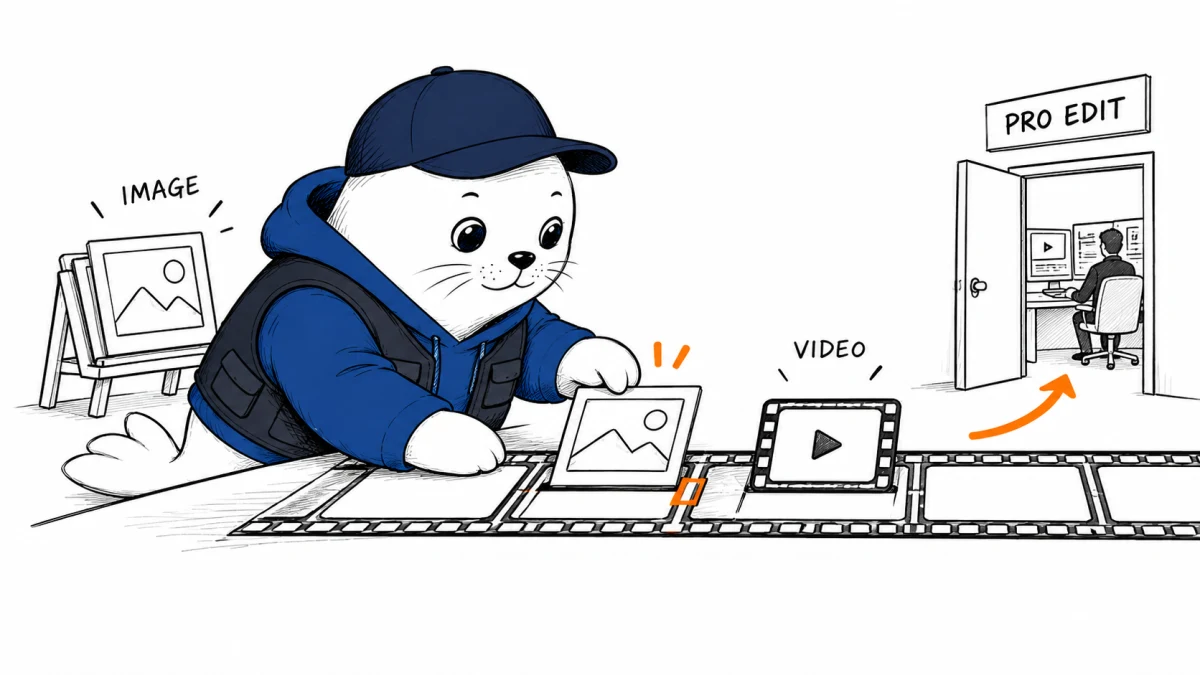
The important change is continuity. A creator can generate an image, edit it, use it as a visual reference, turn related material into video, and place clips on a timeline without repeatedly downloading and uploading files between separate Firefly tools.
- Generation: create images and video from prompts inside the same project.
- Direct editing: select generated or imported media and make prompt-based changes.
- Reusable references: keep frames, settings, and source media close to the next generation.
- Generation history: return to earlier attempts instead of treating every output as disposable.
- Timeline assembly: sequence clips and continue generating or editing from the production context.
- Elements: create reusable visual references for a character, location, or object when the supported model and workflow allow it.
This is not just a tidier interface. Generative projects often lose time and consistency at handoff points. Every export can separate an asset from the prompt, model, reference frame, seed, crop, or version that produced it. Keeping more of that context in one project can make iteration easier to reproduce.
The timeline changes where generation happens
Most text-to-video tools begin with a prompt and end with a clip. Editors work in the opposite direction: they begin with a sequence, discover what is missing, and then create or source the missing shot. Firefly’s timeline moves generation closer to that second workflow.
A useful example is a six-shot product story. After placing four acceptable clips, the editor may discover that the transition between shots two and three lacks a close-up, or that the final shot breaks the established lighting. Generating from the surrounding project context is more valuable than opening a blank prompt box because the creative problem is now specific.
Firefly Elements aim at consistency, not final identity control
Adobe describes Elements as reusable references for characters, locations, and objects. That can reduce prompt repetition and help a team carry a visual subject across multiple generations. It should not be mistaken for a guarantee that every frame will preserve exact identity, geometry, wardrobe, or product details.
- Create one approved source with clear lighting and an unobstructed view.
- Generate a small variation set before committing to a longer sequence.
- Check faces, logos, hands, product dimensions, and recurring background details.
- Record which model and settings produced the accepted version.
- Move precision-critical corrections into a conventional editor before delivery.
Consistency is a spectrum. A recurring fictional character may tolerate small changes that would be unacceptable for a real spokesperson, a regulated product, or a brand package.
Firefly, Canva AI, Google Pics, and Adobe Express solve different jobs
| Workspace | Best starting point | Strongest workflow advantage | Where to keep another tool |
|---|---|---|---|
| Firefly unified workspace beta | Generate and refine visual media | Image-to-video continuity, reusable context, and timeline-based iteration | Precision editing, mature finishing, and broader publishing operations |
| Canva AI | Campaign, template, or branded layout | Fast adaptation across many deliverables and collaborative design | Detailed video finishing and pixel-level image work |
| Google Pics | Workspace-native visual document | Simple creation near Docs, Drive, and team collaboration | Advanced creative production and complex brand systems |
| Adobe Express | Quick social or marketing deliverable | Templates, resizing, lightweight editing, and fast publishing | Long-form timelines and demanding compositing |
Our detailed Google Pics, Canva, and Adobe Express comparison helps with the lightweight design decision. The new Firefly workspace sits closer to media generation and iterative production. Canva is often the stronger campaign assembly surface, while Express remains useful when the target is a quick, correctly sized deliverable.
Teams already using Canva can also consult our Canva AI campaign workflow test. The practical choice is not one universal winner. It is deciding where the source of truth should live and which handoffs create avoidable rework.
A workflow to test the beta without losing control
- Choose one real deliverable: use a 15-second campaign cut or a defined image set, not a disconnected demo prompt.
- Lock the brief: record aspect ratio, brand constraints, required shots, prohibited content, and approval owner.
- Build references first: approve the product, character, location, color, and lighting references before generating variations.
- Generate in the project: keep the accepted source, alternate takes, and rejected attempts together.
- Assemble early: place rough clips on the timeline before spending time polishing each shot.
- Finish deliberately: identify which corrections can remain in Firefly and which need Photoshop, Premiere Pro, or After Effects.
- Archive the evidence: save accepted outputs, model information, prompts, source rights, and approval notes.
The last step matters for commercial work. A unified workspace makes creation easier, but it does not remove the need to document who supplied the reference material, which outputs were approved, and where a human changed the result.
What the beta still needs to prove
Adobe’s documentation explains the workflow, but it does not yet establish how much time teams save across a complete production, how reliably Elements preserve identity, or how the timeline behaves on large projects. A useful evaluation should measure those outcomes rather than count generated assets.
- Time from approved brief to approved deliverable
- Number of exports and reimports
- Percentage of shots that preserve required visual details
- Human correction time after generation
- Model or feature failures that block the timeline
- Ease of handing the project to another editor
Cost also needs to be measured at the deliverable level. A cheap generation that requires many retries and an hour of repair can be more expensive than a higher-priced generation that is accepted quickly. Our AI video generator cost guide explains why per-clip prices alone are incomplete.
My verdict: Firefly is becoming a production workspace
The Adobe Firefly unified workspace is most interesting when viewed as an attempt to preserve creative context from first generation to rough sequence. That can reduce a real source of friction, especially for small teams that currently move between a generator, file browser, image editor, and timeline.
It is still a beta, and a unified surface is not the same as a complete professional replacement. Test it on one repeatable deliverable, record the handoffs it removes, and keep precision finishing in the tools that can reliably meet the final standard.
Read Adobe’s primary documentation
- Start with Adobe’s unified workspace overview.
- Review how to generate and edit content in the workspace.
- Check the documented workflow for creating a reusable Element.
- For a broader Adobe production update, read our Premiere Pro and After Effects AI guide.
Adobe is expanding its creative workspace while acquiring specialist enhancement technology. Our Adobe Topaz Labs acquisition analysis separates the completed transaction from future product integration.
Checked September 9, 2026. The unified workspace is a beta. Product capabilities and availability can change as Adobe updates the experience.