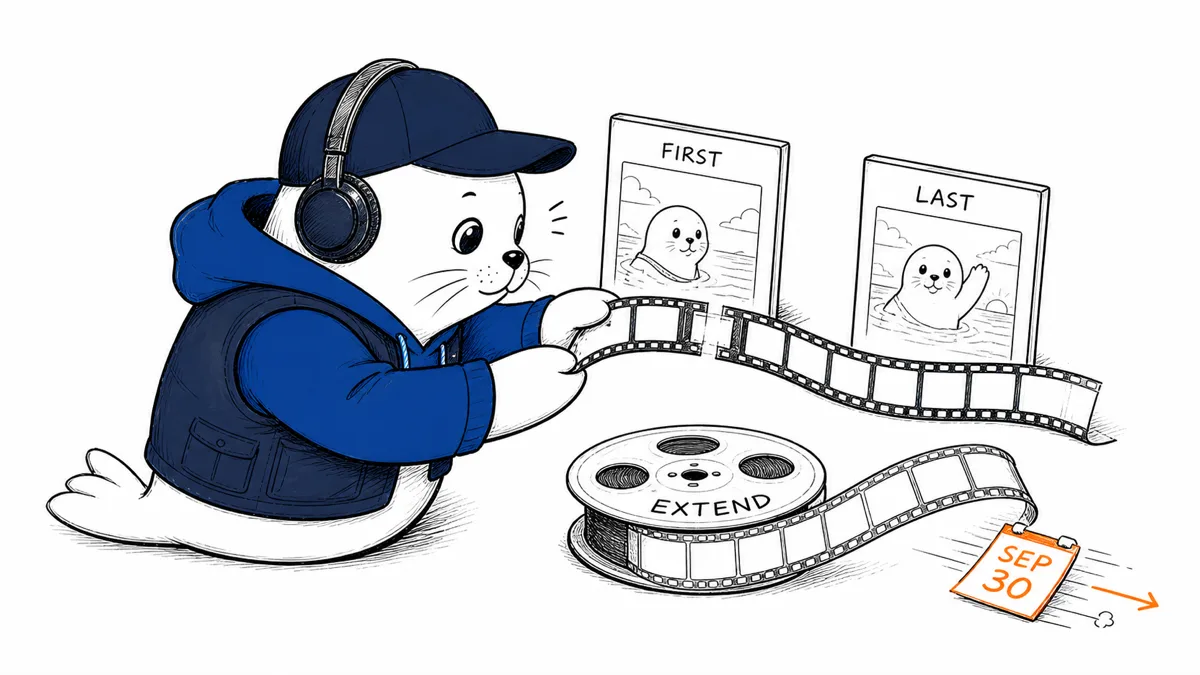
Gemini Omni 1.1 Flash is now generally available, but the practical upgrade is not a new model name. It is a production contract for extending clips, joining first and last frames, and exporting multiple resolutions, plus a September 30 deadline for the preview endpoint.
Google moved gemini-omni-1.1-flash to general availability on August 27, 2026. The release supports video extension, first-and-last-frame interpolation, and 360p, 720p, 1080p, and 4K output choices. Google notes that 1080p and 4K outputs are upscaled, a detail that should stay in any quality comparison.
September 23 Google Vids update
Google has now brought Gemini Omni 1.1 Flash into Google Vids. The September 23 Workspace update says users can extend scenes with improved character and audio consistency, set a precise clip duration, generate new scenes in 1080p, and upscale existing AI clips to 1080p. Generated 1080p footage and upscaled footage are different outputs; compare both with the source material before treating them as equivalent.
Google says visibility begins September 23 and should complete in one to three days across Rapid Release and Scheduled Release domains. It lists Business, Enterprise, Education, and consumer plans among the eligible editions and says this feature has no admin controls. The Vids interface is a separate workflow from direct Gemini API integration, so API users should still check endpoint names, quotas, and output characteristics against the API documentation.
General availability changes the deployment conversation.
A GA endpoint generally offers a more stable production target than a preview. It does not promise that every shot will be consistent, every prompt will follow direction, or every resolution contains native detail—separate service maturity from creative quality.
| Feature | What Google provides | What to test |
|---|---|---|
| Extension | Continue an existing clip | Motion, subject and camera continuity at the seam |
| Interpolation | Generate between first and last frames | Identity drift and implausible intermediate motion |
| Resolution | 360p, 720p, 1080p and 4K | Native-looking detail, artifacts and export time |
| Endpoint | GA model ID | Quota, latency, errors and regional availability |
Upscaled 4K is an output format, not proof of detail
Google explicitly describes 1080p and 4K as upscaled. That can still help delivery pipelines, but pixel dimensions alone don’t guarantee sharper faces, readable products, or stable textures. Compare a 720p generation upscaled in your own pipeline with the service’s 1080p and 4K outputs.
- Inspect faces, hands, text, logos, and repeating textures at 100%.
- Measure temporal flicker, not just a selected frame.
- Check whether the higher-resolution route changes latency or cost.
- Preserve the source prompt, seed, or control frames with each export.
First-and-last-frame control deserves a seam test.
Interpolation is valuable for product reveals, before-and-after transitions, and storyboards where the destination matters. The risk moves into the middle. A plausible first and last frame can hide an impossible turn, disappearing object, or identity change between them.
Create a fixed evaluation sheet with a human subject, rigid product, printed label, camera move, and occlusion. Score the entire clip. Our AI image-tool comparison makes the same distinction between a polished output and a controllable production workflow.
The preview endpoint has a September 30 deadline.
Google’s Gemini API changelog says the preview endpoint will be deprecated on September 30, 2026. A successful request to the GA ID is only the first migration check. Compare default parameters, safety behavior, duration, audio handling, response schema, errors, and generated output.
- Inventory every preview model ID in code, jobs, and dashboards.
- Replay a frozen prompt and control-frame set against preview and GA.
- Compare output duration, resolution, aspect ratio, and failure behavior.
- Update monitoring and cost attribution to the GA ID.
- Remove preview fallback before September 30.
Our Gemini migration checklist explains why HTTP 200 does not prove behavioral equivalence.
Use a shot ledger before scaling production.
For each accepted clip, record the model ID, prompt, input assets, settings, output resolution, generation time, retries, and human repair minutes. The useful unit is cost per accepted second, not cost per generation. An inexpensive model that needs four reruns and manual cleanup can lose to a more expensive first-pass result.
Build a fixed shot suite before changing endpoints.
Use the same eight shots for every release: a face turning, hands manipulating an object, a product with printed text, a moving camera, an occlusion, a reflective surface, a crowded scene, and a quiet landscape. Include one extension and one first-to-last-frame task for each relevant category. This exposes whether a migration improves one visual class while damaging another.
Score subject identity, object count, motion physics, prompt compliance, text integrity, seam visibility, and repair time. Keep evaluators blind to the endpoint where possible. A beautiful frame should not compensate for a broken narrative beat, and a longer clip should not receive credit when the last seconds are unusable.
Plan the fallback before the deprecation date.
Remove the preview model from user-selectable options only after the GA path passes. For queued jobs, decide whether to let an old request finish, restart it on GA, or return it for review. Version the model ID with every asset so editors can compare outputs.
Set alerts for error rate, queue time, and accepted-output regressions during the first production week. Preserve the last known-good prompt templates and input assets. The rollback may be a workflow change rather than a return to a deprecated endpoint: shorter shots, a different resolution, or a second provider for the failing scene class.
Creative teams also need an asset-rights checkpoint. Record who supplied each first frame, last frame, and source clip, and confirm that the intended transformation is permitted. Do not assume that a model accepting an upload establishes the right to extend, interpolate, or publish it. For client work, preserve the approval that ties the generated shot to the brief and delivery channel.
Finally, compare audio separately when the workflow includes it. A visually coherent extension can still introduce a timing break, unwanted sound, or a mismatch with the edit timeline. Lock picture and sound acceptance criteria before running a large batch.
My verdict: migrate now, benchmark the middle
Teams using the preview should move early enough to compare behavior before September 30. New projects should start on the GA ID. For creative evaluation, focus on the transition frames, extension seam, and real detail, not the clean first frame or the 4K label.
Read Google’s release record.
- Check the Gemini API changelog.
- Read Google’s Gemini Omni 1.1 Flash launch guide.
Checked on August 29, 2026. Model status, capabilities, output resolutions, upscale disclosure, and deprecation date come from Google; evaluation recommendations come from Musthave.ai analysis.