

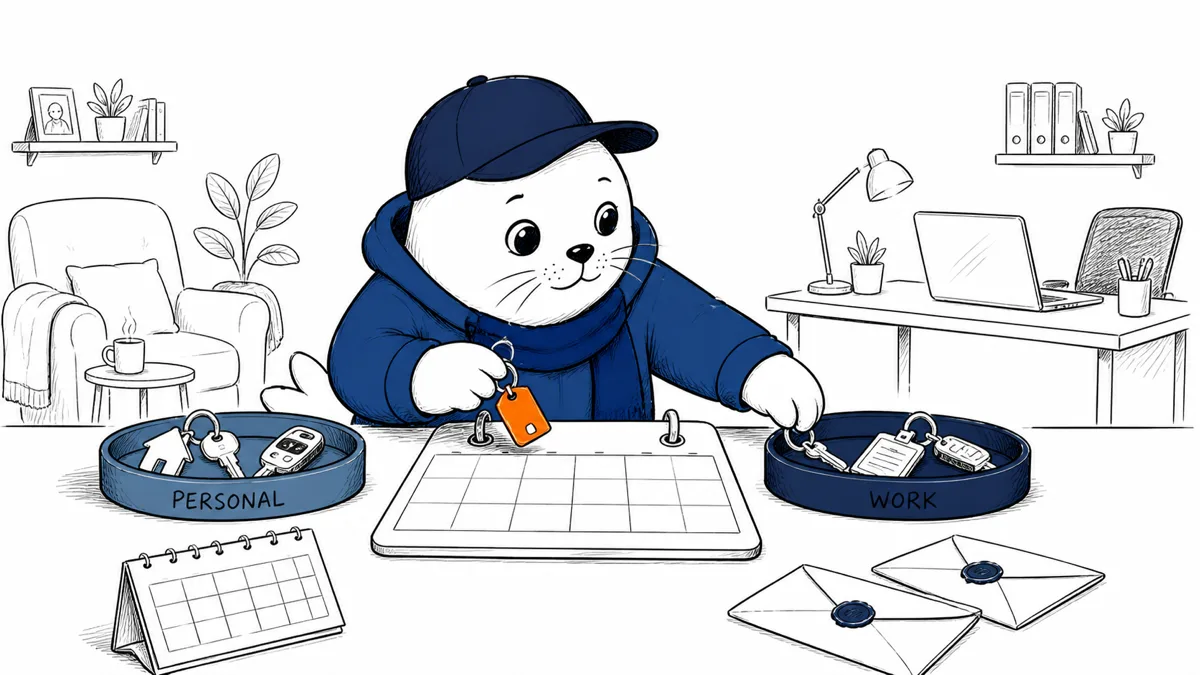
ChatGPT can now use more than one Google account in the same conversation. That removes account switching, but it also removes a boundary people relied on accidentally.
OpenAI’s August 28 release notes say eligible users can connect multiple Gmail, Google Calendar and Google Contacts accounts and work with them in one chat. The feature is available on web, desktop, iOS and Android for Plus, Pro, Business and Enterprise plans.
One chat can now span several Google identities
The convenient use case is obvious: compare a personal calendar with a work calendar, find a contact in one account and an email in another, or plan a trip without switching sessions. The security question is less visible: can the resulting answer mix data that should stay in separate contexts?
| Connected service | Useful combined task | Boundary to test |
|---|---|---|
| Gmail | Find related messages across accounts | Recipient, attachment and confidentiality checks |
| Calendar | Find a time across work and personal schedules | Which event details appear in the answer |
| Contacts | Resolve people across address books | Duplicate names and wrong-account identity |
Connection is not the same as permission for every task
A user may authorize an account once and forget that it remains available to later conversations. Write a simple rule before connecting several identities: which account contains regulated, customer, employer or family data, and which cross-account combinations are acceptable?
- Name each connection clearly.
- Connect the minimum Google services needed.
- Use a dedicated chat for cross-account work.
- Ask the assistant to identify the source account for important facts.
- Review the final recipients and attachments outside the model.
For Business and Enterprise deployments, admins should check whether organization policy can restrict connectors, whether personal Google accounts are allowed, and what audit data exists. A feature being included in a plan does not settle the organization’s data-handling decision.
The dangerous error is correct data from the wrong account
A hallucinated date is noticeable. A real date from the wrong calendar may look authoritative. The same is true when two people share a name across contact lists or a draft email exists in personal and work Gmail.
Test collisions deliberately. Create two contacts with the same name, two calendar events with similar titles and two email threads on the same subject. Ask ChatGPT to explain which account supported each part of its response. If provenance is unclear, do not use the combined view for consequential actions.
Separate reading from acting
Cross-account search is lower risk than sending a message, changing a calendar or sharing a contact. Keep a human confirmation step before any external effect. Display the selected account, target and content at the moment of approval.
That principle matches our AI permission-boundary review: an assistant can reason across information, but infrastructure should still constrain which action leaves the system.
A ten-minute account-boundary test
- Connect two low-risk test accounts before production accounts.
- Run same-name and same-subject collision prompts.
- Check whether answers show the originating account.
- Disconnect one account and verify it is no longer used.
- Review connector and conversation retention settings.
- Document the approval step for messages and calendar changes.
Teams evaluating connectors more broadly can use our agentic AI guide to separate retrieval from autonomous action.
Business admins need a connector register
Record the user, ChatGPT workspace, Google identity, services enabled, approval date, owner and review date for every connection. Mark whether the account is personal, corporate, customer-managed or shared. A connector without an owner should expire rather than become permanent background access.
Include offboarding in the register. Removing a worker from the company directory does not prove that every OAuth grant, ChatGPT connection or mobile session has been revoked. Test the real path with a low-risk account and confirm that previously available mail, events and contacts stop appearing.
Design prompts that preserve source boundaries
For mixed-account work, ask for a table with source account, service, date and confidence before requesting a summary. Tell the assistant not to combine identities with the same name without confirmation. When the answer will be forwarded, remove personal details that entered only because the second account was connected.
A useful workflow first searches, then presents candidate sources, then drafts. It does not search and send in one step. That separation gives the user a chance to notice that a private calendar entry or personal contact has crossed into a work artifact.
Use different defaults for different account pairs
Two work accounts in the same controlled organization may justify regular cross-search. A personal and employer account should begin with stricter limits. Customer or regulated accounts may need to remain entirely separate. The feature enables combination; it does not make every combination appropriate.
Review the choice after the first month. Sample low-risk conversations, look for wrong-account sourcing and ask users which steps caused uncertainty. Remove connections that provide little value, and keep a narrower single-account workflow when provenance costs more time than switching accounts did.
Record that review beside the connector register.
My verdict: useful, but label the keys
Multiple-account support fixes a real workflow problem. Use it where the value comes from comparing schedules, messages or contacts. Do not let convenience erase the distinction between personal and organizational authority.
The minimum safe interface is provenance plus confirmation: show which account supplied the fact and which account will receive the action.
Read OpenAI’s release note
- See the August 28 entry in the official ChatGPT release notes.
Checked August 29, 2026. Supported Google services, plans and platforms come from OpenAI. Boundary tests and operational recommendations are Musthave.ai analysis.
Update: Multiple plugin accounts expand beyond Google
Updated September 18, 2026. OpenAI says multiple connected accounts now work with plugins beyond Gmail, Google Calendar and Google Contacts. The expansion is available on all ChatGPT plans across web, mobile and desktop. Availability does not mean every plugin supports every action, and workspace policy can still narrow what a managed user may connect.
| Test | What to verify |
|---|---|
| Source provenance | The answer identifies which connected account supplied each important fact. |
| Duplicate identity | Contacts or records that exist in both accounts are not silently merged. |
| Action confirmation | Before sending, editing or deleting, the selected account and destination are visible. |
| Workspace policy | A personal connection cannot bypass managed restrictions. |
| Revocation | Removing one account stops future access without disconnecting the other account. |
| History check | Past conversation text is reviewed separately from live connector authorization. |
The safest operating rule remains explicit provenance before action. Ask ChatGPT to state the account, plugin and record supporting a result, then confirm the account again before any external side effect.
Primary update source: OpenAI product release notes, September 17, 2026.


