Most AI video tools give you a five-second clip and call it a day. Google Flow is trying to give you a film set. That ambition is exactly why it’s worth watching, even if you never touch it, because it signals where the whole generative video race is heading.
What Google Flow actually is
Flow is Google’s AI filmmaking studio, powered by DeepMind’s Veo models. And in early 2026, Google relaunched it as a genuinely unified workspace, merging three previously separate products (Flow, Whisk, and ImageFX) into a single interface. That consolidation matters: instead of stitching together three tools, you work in one place from idea to export.
The headline capability is the Veo engine underneath it. Veo 3.1 doesn’t just generate silent footage, it produces synchronized native audio, meaning rain sounds, character dialogue, and ambient noise are generated to match what’s happening on screen. That single feature closes the ugliest gap in AI video: the eerie silence you used to have to fix in post.
Why the “workspace” framing is the real story
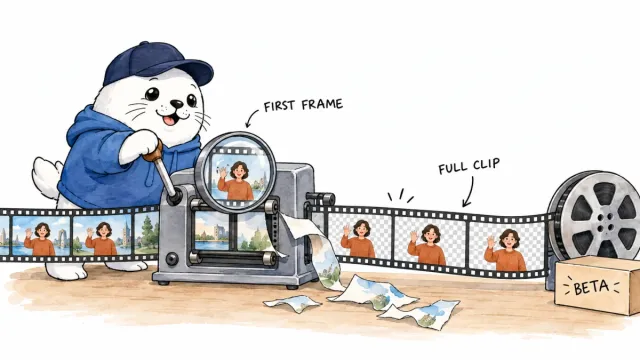
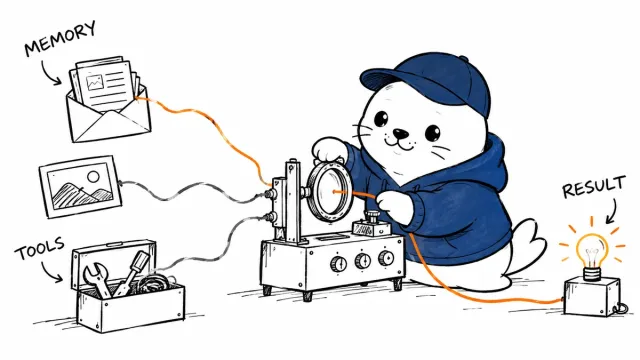
Here’s what separates Flow from a novelty generator. It’s built as an actual pipeline: generate an image, animate it into a video, extend the clip, drop it on a timeline, and export, all without switching apps or babysitting files between steps. Around that, it offers filmmaking-specific tools: camera controls, scene extension, a Scenebuilder, asset management, and up to 4K export.
That’s a different pitch from “type a prompt, get a clip.” It’s an attempt to make AI video a place you actually edit, not just generate. For creators, that’s the difference between a toy and a tool you can build a workflow on.
What creators should actually watch
So where does this fit for you? A few honest angles.
- The audio leap is the big one. Synced native sound removes the most obvious “this is AI” tell. Watch how well it holds up on dialogue specifically, that’s the hardest test.
- It’s free to start. The core is usable at no cost on the web, which makes it one of the most capable free AI video tools available. That lowers the bar for testing it against your current stack.
- The unified timeline is what to evaluate for real work. A tool you can iterate and assemble in beats juggling five apps.
The honest caveats still apply
None of this changes the fundamentals I keep coming back to. AI video is still best for hooks, B-roll, concept work, and short cinematic moments, not for replacing the footage where you, a real client, or an actual demo build trust. Faces and fine detail can still wobble, so scrutinize before you publish.
And the arms race is fierce. Flow is competing directly with xAI’s Grok Imagine, Meta’s video features, and specialist tools, leadership will trade hands with every release. So don’t marry any one tool. Keep a primary and a backup, run the same 5-second prompt across a couple of them, and let your own eyes decide.
The bottom line
Google Flow is one of the clearest signals yet that generative video is maturing from “clip generator” into “creative workspace.” Whether it stays on top is anyone’s guess, but the direction is the takeaway: native sound, unified editing, real controls, free entry. Test it on a real project, measure retention rather than your own excitement, and remember, the tools got cinematic, but your taste and honesty are still the brand.
Test Google Flow on the hardest thing: dialogue
Native audio is Flow’s headline, so stress-test it where AI video usually breaks, spoken dialogue. Run a prompt with a person saying a short, specific line and watch two things: whether the mouth actually matches the words, and whether the voice sits naturally in the scene rather than floating on top. Ambient sound and effects are easy to fake convincingly; lip-synced dialogue is the real test, and it’s where you’ll see how far the tool has genuinely come. If dialogue holds up for your use, everything easier will too.
Have you tried Flow yet, and how did the audio hold up for you? Tell me what you made in the comments.
Verification sources and related guides
Primary reference: Google Flow official product page. This is an official provider source. Treat performance, adoption, and product claims as company-reported unless the article identifies an independent check.