Google is replacing Gemini Gems with a broader Skills system, but the switch is not happening everywhere at once. Personal accounts move first in November 2026; work and school accounts follow in 2027. The safest move is to back up important Gem instructions and files before relying on Google’s automatic conversion.
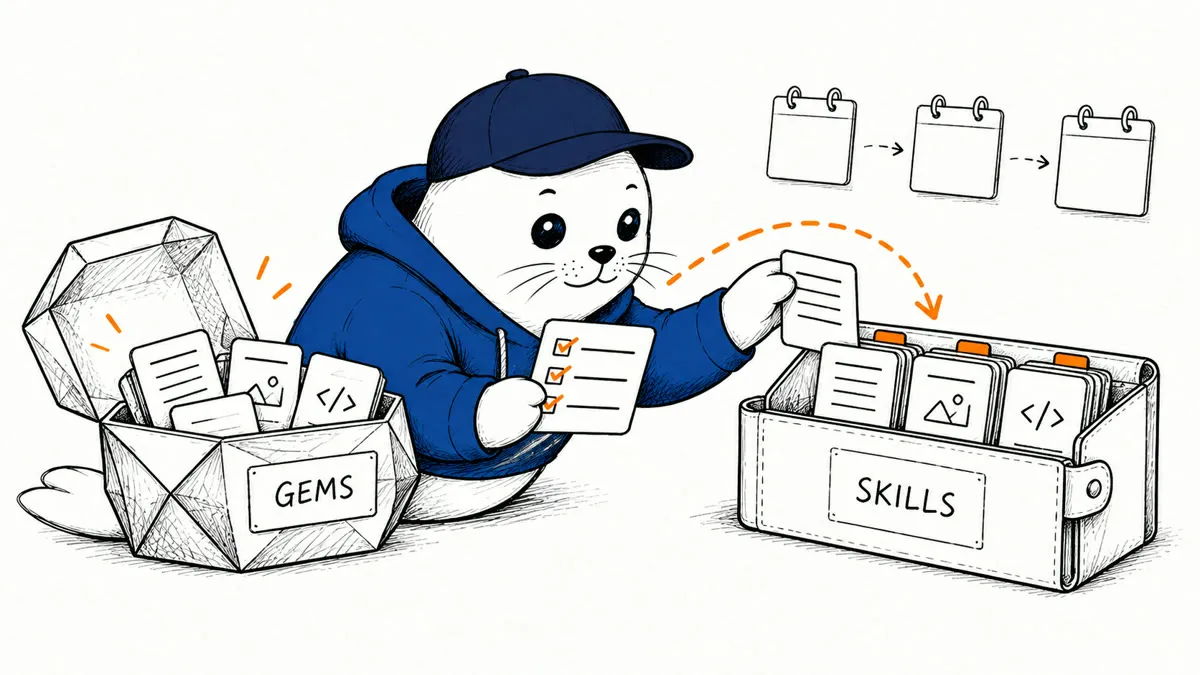
Google’s current Gemini help pages describe Skills as reusable instructions and reference material that Gemini can apply across chats and tasks. You can call a skill directly, let Gemini activate a relevant skill automatically, or combine several skills in one workflow. Google also says it will remove Gems in stages and automatically recreate them as Skills, including supported files.
That sounds simple, but it is not a one-for-one migration yet. Skills currently have account restrictions, unsupported Gem tools, and different chat organization. If a Gem is important to your work, treat Google’s automatic transition as a convenience rather than your only backup.
When are Gemini Gems going away?
| Account type | Gem retirement date | What to do now |
|---|---|---|
| Personal Google Account | November 2026 | Back up critical Gems and test a manual Skill now. |
| Workspace business, enterprise and nonprofit | March 2027 | Inventory shared workflows and wait for account availability before planning a team rollout. |
| Workspace education | June 2027 | Identify Gems that depend on classroom or school data and review them with an administrator. |
Google says Opal and Gems by Google Labs will also go away for personal accounts in November. The staged dates matter because Skills are currently rolling out first to people aged 18 or older using personal Google Accounts. Work and school accounts do not have access yet, even though their Gem retirement deadlines come later.
What Skills change
A Gem gives you a dedicated custom assistant. A Skill is designed as a reusable capability that can appear inside an existing chat or task. You can type / and choose a Skill, allow Gemini to apply an active Skill when it appears relevant, or stack several Skills together. That design resembles the portable instruction packages covered in our Notion Skills guide, although each platform has its own file rules and execution boundaries.
Skills can also be uploaded as a folder or ZIP file with a SKILL.md file at its root. Google currently accepts many text, code, configuration, PDF, and image formats, with a 100 MB total upload limit. Binary office formats such as .docx and .xlsx are not supported. Scripts cannot make requests to external websites, so an uploaded script should not be treated as a general automation connector.
What automatic migration covers—and what it does not prove
Google says it will recreate Gems as Skills when support for Gems ends. Supported knowledge files should move with them. That helps, but a successful import doesn’t prove the migrated Skill produces the same answer, finds the same context, or can use the same tools.
- Some Gem tools are missing. Google lists Create video, Create music, Canvas, Deep Research, and Guided Learning among the features that do not currently work with Skills.
- GitHub files are not supported. A Gem that depends on a connected repository needs a different reference-file plan.
- Chat history is organized differently. Skills do not have a dedicated page showing recent chats that used a particular Skill; those conversations remain in the main side panel.
- File editing has a current platform bug. Google says Skills with uploaded files cannot presently be edited in the Gemini mobile app or Mac app; use the web app while it works on a fix.
Google says file support from Drive and Gemini Notebook, plus Skill sharing, will arrive in the coming weeks. Those are forward-looking statements, not features to assume are available in your account today.
Who can use Gemini Skills now?
- You must be at least 18 years old.
- You must sign in with a personal Google Account; work and school accounts are not supported yet.
- Gemini Keep Activity must be turned on.
- Skills are available in Gemini on the web, in the mobile app, and in the Gemini app on Mac, with a gradual rollout.
- A Google AI subscription is not required for Skills, although other Gemini features may depend on a paid plan.
Google allows any number of saved Skills, but only 100 can be active at once. Automatic activation applies only to active Skills. This creates a practical governance problem for heavy users: broad or overlapping instructions can compete for the same prompt. Name each Skill for a narrow job, state when it should run, and include examples of an acceptable result.
A migration checklist for important Gems
- Inventory the Gems you still use. Record the owner, purpose, instructions, knowledge files, and any default tool the Gem requires.
- Download every knowledge file. Google says a manual move requires downloading Gem files individually. Keep a dated local copy even if you plan to wait for automatic migration.
- Copy the name, description, and instructions. Save them in plain text so you can compare the migrated Skill with the original Gem.
- Flag unsupported dependencies. Separate Gems that use video, music, Canvas, Deep Research, Guided Learning, or GitHub files. Those need a redesigned workflow, not a blind conversion.
- Rebuild one critical Gem manually. Test the same prompts in the Gem and Skill. Compare factual accuracy, file use, formatting, and whether Gemini activates the Skill when expected.
- Review Connected Apps separately. Skills can work with Connected Apps, but the Skill does not replace app permissions. Our Gemini Connected Apps guide explains the rollout and access questions to test.
- Keep a rollback copy. Do not delete the original Gem or your local files until the Skill has passed real tasks and the account’s transition is complete.
The practical verdict
Skills are more flexible than Gems because you can reuse them, select them inside a chat, and combine them. The tradeoff is that automatic selection and composition create new testing work. A reusable instruction package is only useful when you know when it runs, what files it can read, and which tools it cannot use.
For casual Gems, Google’s automatic migration may be enough. For a Gem that supports publishing, customer work, teaching, or another repeatable process, make a local backup and run a side-by-side test before the relevant deadline. Migration success should mean the workflow still produces an acceptable result—not merely that a Skill with the same name appears in the list.