A coding agent that remembers a project for months sounds useful. A coding agent that wakes up when Slack changes, launches more agents and keeps working after your laptop closes is a different operational system. Cursor Projects puts that system into beta.
Cursor announced Projects on September 10, 2026 and says the beta is rolling out to all users. The feature is aimed at larger bodies of work such as a migration, a feature or a complete application.
The coordinator does not write the code
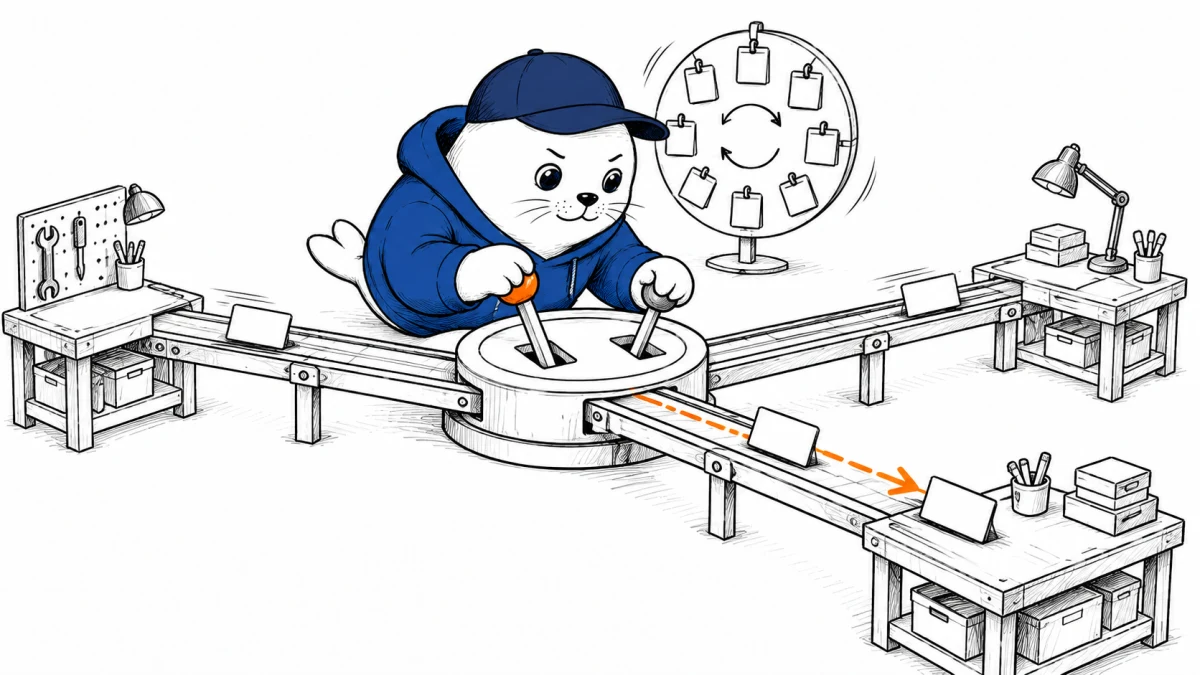
Cursor separates planning from implementation. A coordinator keeps the project goal and shared context, breaks work into tasks, launches implementing agents and brings their output back for review. Cursor says the coordinator can create as many parallel agents as the work requires.
That separation matters. A coordinator can preserve the big picture while implementation agents work with smaller contexts. It also creates a reconciliation problem: someone still has to resolve overlapping edits, failed assumptions and changes that pass one agent’s test but break another part of the system.
Persistent context is both memory and supply chain
Each Project maintains files that sync across the cloud and local machines used by its agents. Agents can add research, artifacts, codebase instructions and preferences. A testing discovery made by one agent can become guidance for future agents.
I would treat those shared files like build inputs, not informal notes. Version them, review changes and record which instruction affected a release. A stale command or poisoned project note can travel farther than a bad answer in one chat.
Where the work actually runs
| Layer | Cursor description | Builder check |
|---|---|---|
| Coordinator | Plans, delegates and collects results | Goal, budget, stop condition and review owner |
| Cloud agents | Run on Project cloud machines | Secrets, network, retention and machine image |
| Local agents | Run tests that need the user machine | Files, local credentials and cleanup |
| Shared context | Syncs learned files across machines | Version history, write access and expiry |
| Subscriptions | React to Slack, pull requests or schedules | Event scope, rate limit and approval gate |
Scheduled work changes the threat model
A Project can watch a Slack channel, follow pull requests or run on a schedule. That is useful for incoming bug reports and long-running maintenance. It also means untrusted text from an event can become agent input while nobody is looking.
- Restrict watched channels and repositories to the smallest useful scope.
- Separate read access, branch creation, pull-request updates and merge rights.
- Require human approval before deployment, secret changes or destructive commands.
- Cap concurrent agents, runtime and spend even if the product can launch more.
- Keep an immutable event-to-action log for later review.
A practical beta test
- Choose one migration with a known test suite and a reversible branch.
- Seed the Project with reviewed architecture and test instructions.
- Trigger one task manually, one from Slack and one on a schedule.
- Force a conflicting edit, failed test and expired credential.
- Compare the merged result with the same work done by one agent.
- Measure accepted changes, review time, compute cost and cleanup time.
Our Cursor self-hosted machines checklist covers the execution boundary. The VS Code Agent Merge guide is useful for thinking about conflicts and failed checks after parallel work.
What Cursor has not said
The changelog does not give a plan matrix, hard concurrency ceiling, retention controls, regional availability or incremental Project pricing. “Rolling out to all users” confirms the rollout audience, not identical capacity or policy for every account.
A useful audit starts with one completed task and follows six links: the event that triggered it, the coordinator decision, the shared instruction used, the machine that executed it, the credential boundary and the accepted code change. If one link is missing, a clean final diff cannot explain why the system acted or which input should be corrected.
This also gives teams a practical beta scorecard. Measure how many completed tasks have a complete trace, how many require conflict resolution and how many shared-memory edits are later reversed. Those rates say more about operational readiness than the maximum number of agents shown in a demo.
My take: review the memory before the diff
Cursor Projects makes sense for work that lasts longer than one conversation. The coordinator pattern is a cleaner way to manage that work than stuffing everything into a single agent thread.
The biggest risk is quiet accumulation. Code review catches the final diff, but it may not catch a bad shared instruction that shaped ten earlier decisions. Review the project memory, subscriptions and permissions as seriously as the code.
Read the primary material
Checked September 12, 2026. Product behavior and availability come from Cursor. The testing and control recommendations are MustHave.ai analysis.