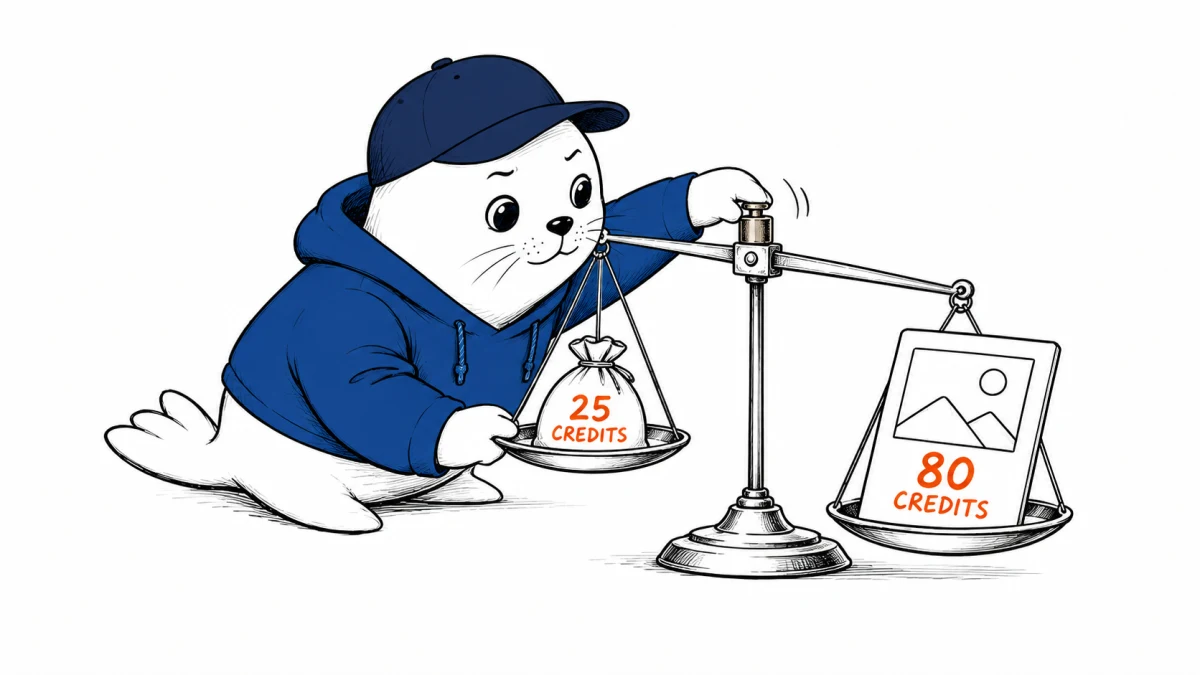
Photoshop Elements 2027 adds GPT Image 2, a new AI workspace, generative expansion and upscaling, plus an AI Assistant beta. The headline feature is easy to understand. The economics are not: Adobe’s standalone license includes 25 generative credits a month, while one high-quality GPT Image 2 generation costs 80.
That means the included monthly allowance cannot fund even one high-quality generation. A medium-quality result costs 20 credits and leaves five. Low quality costs five, permitting five generations if no other credit-consuming feature is used.
The credit table changes the value of the launch
| GPT Image 2 quality | Credits per generation | What 25 credits can fund |
|---|---|---|
| Low | 5 | 5 generations |
| Medium | 20 | 1 generation, with 5 credits left |
| High | 80 | 0 generations from the included monthly allowance |
The Photoshop Elements 2027 GPT Image 2 integration therefore has two different meanings. It expands what the product can access, but it does not make every quality level practical within the included standalone allowance. Buyers should compare the workflow they expect to run, not only the model name on the feature list.
What is new in Photoshop Elements 2027
- AI workspace: a dedicated area for generative and assistant-led work.
- Generate Image: text-led image creation using supported partner models.
- Generative Expand: extend a canvas beyond the original frame.
- Generative Upscale: increase image size with generated detail.
- AI Assistant beta: conversational help inside the editing workflow.
- Topaz Gigapixel: an additional upscaling option alongside Adobe’s features.
Adobe is combining its consumer editor with multiple AI providers and specialist tools. That can be useful because image generation and upscaling solve different problems. It also means users need to check which model is active, what it costs and whether its output terms fit the project.
The license is not perpetual
Adobe lists the standalone product at $99.99 for a new license and $79.99 for an upgrade. The license is non-renewing and lasts three years. It is not a monthly subscription, but it is also not a perpetual license that runs indefinitely.
| Purchase | Listed price | Included monthly credits | License term |
|---|---|---|---|
| Standalone new license | $99.99 | 25 | 3 years, non-renewing |
| Standalone upgrade | $79.99 | 25 | 3 years, non-renewing |
| Elements bundle | Check current offer | 100 | Check current terms |
The bundle’s 100 monthly credits can cover one high-quality GPT Image 2 generation with 20 credits remaining. That does not automatically make the bundle a better purchase because it depends on the bundle price and whether the additional applications are useful.
A useful buying calculation
Estimate how many final images you need, how many attempts each one normally takes and which quality setting is acceptable. A creator who needs four medium generations for one usable result would consume 80 credits. The standalone monthly allowance would cover only the first attempt.
- Choose the quality you actually intend to export.
- Estimate attempts per finished image, including rejected outputs.
- Add credits for expand, upscale or other generative actions.
- Compare the total with 25 or 100 monthly credits.
- Check the current price of additional credits or alternative tools before buying.
Our ChatGPT Images 2.5 pricing guide covers the related OpenAI image lineup. Readers comparing creative workflows can also use our Google Pics rollout analysis to separate access, administration and editing capabilities.
Commercial use still needs a project-level check
Adobe says users are responsible for determining whether output from partner models is appropriate for commercial projects. A model appearing inside an Adobe product does not transfer every legal or brand decision to Adobe. Review the prompt, source materials, recognizable people, trademarks and destination license for each project.
Generative fill and image creation can also alter provenance. Keep the original file and export history when the distinction between captured and generated content matters.
The practical verdict
Photoshop Elements 2027 broadens its AI toolkit and gives consumer editors access to GPT Image 2. The credit table is the limiting fact. Twenty-five monthly credits are enough to explore low or medium quality, but they do not buy one high-quality generation. Treat the model name as a capability and the credit allowance as the usable product.
Primary sources
- Adobe: What’s new in Photoshop Elements 2027
- Adobe: AI models and generative credit costs
- Adobe: Photoshop Elements FAQ
- Adobe: Photoshop Elements product page
Checked September 17, 2026. Prices, credit allowances and model costs can change. Verify the checkout page and current model table before purchase.