

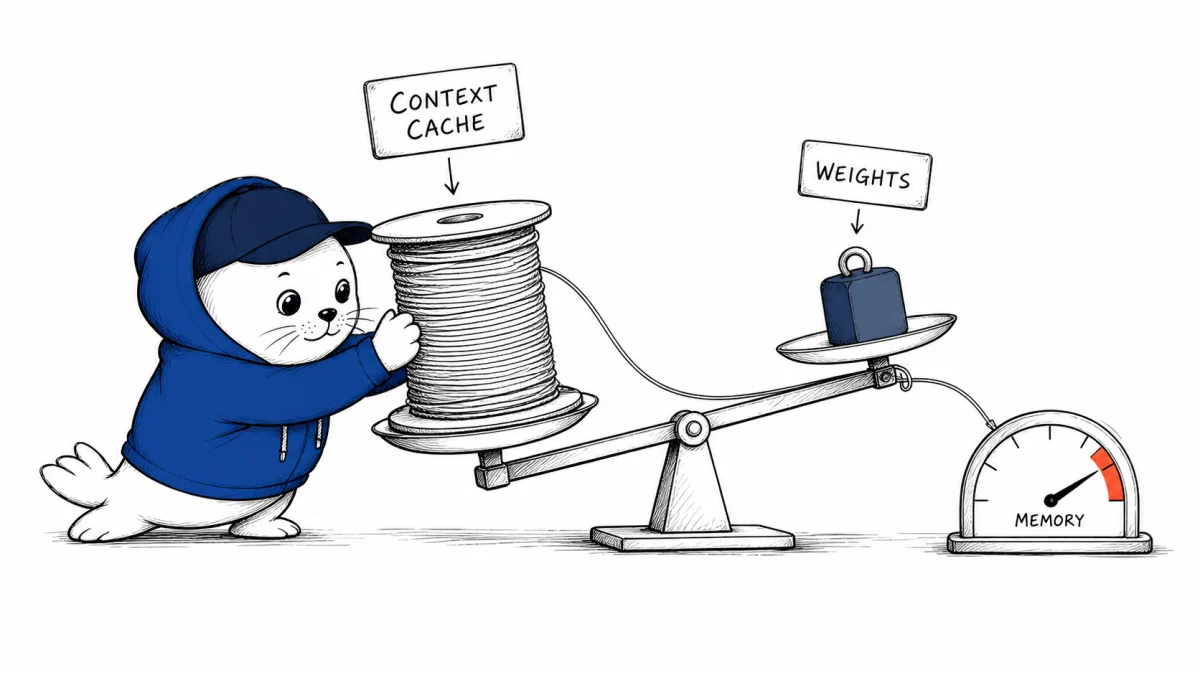
An 8-billion-parameter model sounds like a comfortable local download. A 512,000-token context does not. IBM Granite 4.2 puts both numbers on the same model card, and that is where the deployment question gets interesting.
Granite 4.2 is a new Apache 2.0 family of dense 3B, 8B and 30B reasoning models. IBM positions the 8B release for agentic work, tool calling and long documents. Its native context is 128K tokens, with an extension path to 512K.
The open license and practical serving recipes make the release worth testing. They do not make the largest context setting free. The weight file is only one part of a local model’s memory bill.
What IBM actually released
- Dense 3B, 8B and 30B reasoning models under Apache 2.0.
- Thinking, non-thinking and low-effort operating modes.
- Twelve tested languages in the 8B model card.
- Tool calling and OpenAI-compatible serving through vLLM or SGLang.
- Recipes for OpenCode, Pi and OpenHands.
- An agentic reinforcement-learning stage for the 8B and 30B models.
IBM says the family was trained with one trillion synthetic-code tokens. That is a company-reported training detail, not a guarantee that the model will repair your repository or call your tools correctly.
The 8B label hides two memory systems
Model weights are relatively easy to estimate. Eight billion parameters at 16 bits require roughly 16 GB before runtime overhead. A four-bit weight representation is roughly 4 GB before quantization metadata and serving overhead.
The key-value cache is different. It stores attention state for the active context and grows with sequence length, batch size, precision and model architecture. A small quantized weight file can therefore fit on a GPU while a long prompt still runs out of memory.
Local memory budget = model weights + KV cache + runtime workspace + batching overhead.
This is why “runs on 16 GB” is incomplete without a context length, batch size and serving stack. A 4K chat and a 128K repository analysis are not the same deployment.
Test four context points, not the maximum alone
| Context | What it can reveal | Record |
|---|---|---|
| 8K | Everyday agent and chat baseline | Load time, tokens/sec, tool accuracy |
| 32K | Large files and compact repository tasks | Peak memory, latency, accepted tasks |
| 128K | Native long-context behavior | Cache growth, retrieval quality, failures |
| 512K | Extension limit and operational ceiling | Hardware requirement, slowdown, answer quality |
Use the same task at each point. Padding a prompt with unrelated text only measures whether the runtime can allocate memory. A better test asks the model to locate evidence spread across the context, call a tool with the right arguments and produce an answer that a reviewer accepts.
Vendor benchmarks need a local acceptance test
IBM publishes competitive benchmark tables, but those results were selected and produced by the model vendor. They are useful for deciding what to download, not for choosing a production default.
For coding agents, measure completed tasks after tests, not benchmark points alone. Our review of the Qwen 3.8 agent benchmark rerank reached the same conclusion: changes in harness, budget or backend can move the result without changing the model weights.
- Pin the exact Granite revision, tokenizer, quantization and serving version.
- Record GPU or unified memory, context length, batch size and cache precision.
- Run tasks with and without thinking mode.
- Validate tool schemas, retries and side effects.
- Score accepted outputs, wall-clock time, energy and reviewer minutes.
The license is the durable advantage
Apache 2.0 makes Granite 4.2 easier to inspect, adapt and deploy than a model whose terms restrict commercial modification. It also gives teams a clearer exit route from a hosted endpoint.
Open weights do not remove operating work. You still own model serving, security patches, prompt boundaries, observability and rollback. Our local AI agent economics comparison breaks that bill into hardware, power, utilization and cloud fallback.
Make 16 GB a test condition, not a promise
For a 16 GB target, begin with one quantized 8B model, one request and the shortest useful context. Record free memory before load, peak memory during generation and whether the runtime reduces context silently. Then add the actual tool schemas, retrieved documents and concurrent users the product needs.
A successful local launch is not the pass condition. The model must complete the same accepted task repeatedly without swapping, truncating context or forcing the operator to disable monitoring. Capture tokens per second, first-token latency and peak memory during the same run. If 128K only works with a batch of one and no room for the rest of the application, it is a demonstration configuration, not deployment capacity.
- Fail the run if the server changes the requested context without reporting it.
- Separate weight memory from cache and runtime peaks.
- Retest after every runtime, quantization or driver change.
- Keep a smaller-context fallback that preserves tool behavior.
My verdict: start at 32K and earn the rest
Granite 4.2 8B is a credible local candidate because the license, tool support and serving recipes are unusually usable. Begin with the context your tasks need, not the largest number the model card permits.
If the model passes at 32K, test 128K with the same acceptance criteria. Move toward 512K only when a real workload justifies the memory, latency and failure surface.
Read the source record
- Read IBM Research’s Granite 4.2 announcement.
- Inspect the Granite 4.2 8B model card.
- Review the official code and deployment repository.
- Compare the LocalLLaMA release discussion as community signal, not primary evidence.
Checked August 29, 2026. Model sizes, context limits, features, license and training claims come from IBM’s official materials. Weight-memory examples are parameter-count calculations; actual runtime memory depends on representation and serving configuration.


