A cheaper input price is easy to spot. The harder question is what your agent pays to finish one reliable task, especially when it reuses a large prompt or crosses the long-context threshold.
October 2 update: OpenAI publishes a practical GPT-6 workflow guide
OpenAI’s new guide separates model choice, reasoning effort, and generation speed. It recommends GPT-6.1 Sol for complex coding, research, and computer use. These are OpenAI’s workload recommendations, not an independent comparison of competing models.
Before changing a production workflow, freeze a representative task set and define an acceptable result for each task. Record success rate, latency, and total cost, including retries. Change one setting at a time so you can identify which adjustment helped.
OpenAI also recommends keeping prompts, skills, and repository instructions consistent about authority and completion criteria. Review conflicting instructions before increasing reasoning effort. Extra reasoning can’t reliably resolve an unclear assignment.
For long-running work, preserve the evidence and state needed to continue when reducing context—Retest after a model or workflow change. Keep the previous configuration available until the replacement meets your acceptance criteria.
Source: OpenAI’s practical GPT-6 guide.
OpenAI introduced GPT-6.1 Sol on September 29, 2026. It is available through the API as gpt-6.1-sol and in ChatGPT Work and Codex for Plus, Pro, Business, Enterprise, and Edu users. OpenAI says it is not yet available in Chat. That distinction matters if you are planning a migration for a chat workflow rather than an API or coding-agent workflow.
September 30 update: check the GitHub Copilot rollout
GitHub announced GPT-6.1 Sol general availability in Copilot on September 29, with a gradual rollout to Pro+, Max, Business, and Enterprise users. Pro is not listed in that announcement. Supported surfaces include IDEs, Copilot CLI, the coding agent, GitHub web, and mobile. If the model is missing, check rollout status and plan eligibility before changing a working configuration.
Business and Enterprise administrators can control model access. Under default model enablement, it becomes available unless the global default or this model has been disabled. For a controlled pilot, confirm the policy and the selected model rather than assuming a new release stays unavailable until someone enables it manually.
GitHub’s current pricing table lists the same standard Sol rates detailed below: $2 input, $0.10 cached input, $2.50 cache writes, and $10 output per million tokens. Its long-context tier lists $4, $0.20, $5, and $15, respectively. Usage-based billing converts token costs into GitHub AI Credits, with one credit equal to $0.01. Plan allowances and legacy annual request-based billing can differ, so inspect your actual billing mode rather than assuming an API example is your final Copilot invoice.
The price card has four relevant numbers.
The API model page lists standard rates per million tokens: $2 for uncached input, $0.10 for cached input, $2.50 for cache writes, and $10 for output. The model has a 1,050,000-token context window and a 128,000-token maximum output. A large window is capacity, not a reason to send every document on every call.
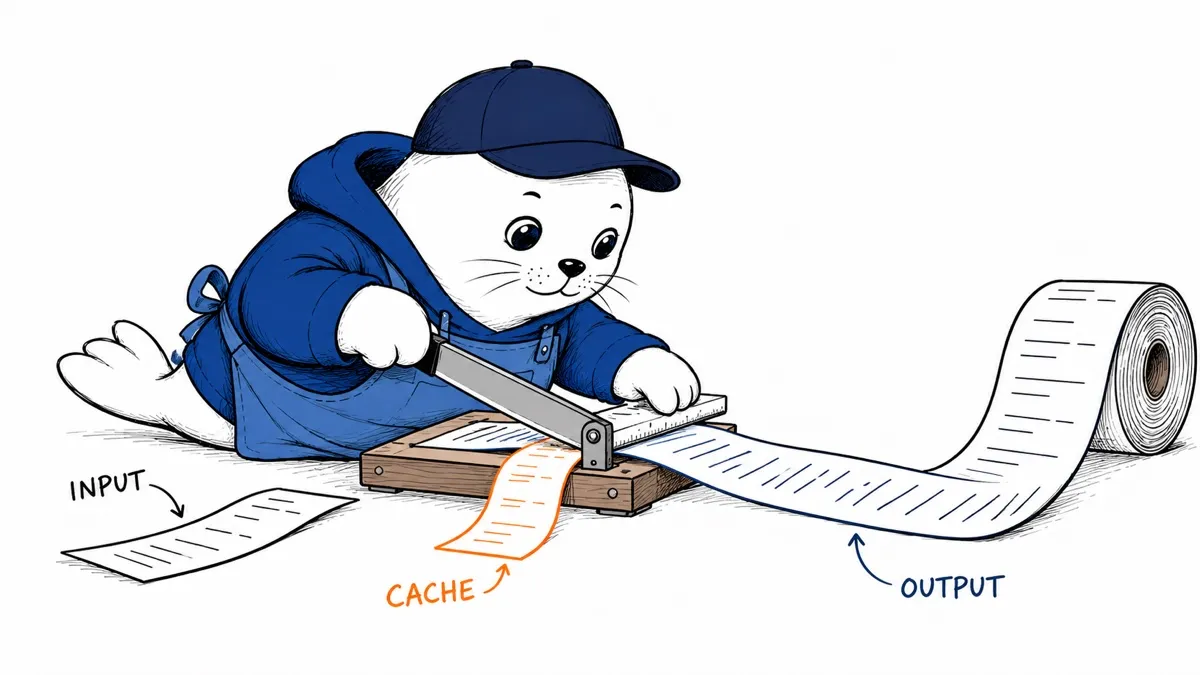
For a request with 40,000 uncached input tokens, 100,000 cached input tokens, and 10,000 output tokens, the token bill at standard rates is $0.19: $0.08 for new input, $0.01 for cached input, and $0.10 for output. That example assumes the cached prefix already exists. Writing 100,000 tokens to cache would add $0.25 at the listed cache-write rate. Tool calls and other charges are not included in this illustration.
Watch the 272,000-token breakpoint.
OpenAI says prompts with more than 272,000 input tokens are billed at twice the input and cache rates and 1.5 times the output rate for the full request. A 300,000-token uncached prompt with 20,000 output tokens therefore costs $1.50 before tool charges: $1.20 in input and $0.30 in output. It would be wrong to apply the higher rate only to the tokens above 272,000.
This changes how I would build retrieval. If a search system can give the model the few passages it needs instead of a 300,000-token document dump, the saving may come from crossing back under the threshold, not merely from shaving a few tokens. Measure any quality loss on real queries before shortening context by rule.
Don’t treat a benchmark result as a production promise.
OpenAI reports gains on coding, document analysis, and computer-use evaluations, including results near GPT-6 Astra on some tests. Those are company-reported measurements under stated settings, not a guarantee that Sol will finish your jobs at one-fifth the cost. The launch post also notes that research-environment evaluations can differ from production ChatGPT because prompts, tools, and effort settings differ.
The system-card addendum is worth reading for agent deployments. Its safety findings describe OpenAI’s own evaluation conditions; they do not replace your authorization checks, tool logs, or review of high-impact actions. Our guide to proof of presence for agent actions explains why a capable model and a permission to act are different decisions.
A migration test I would actually run.
- Choose 30 to 50 recent tasks, including easy cases, long-context cases, and failures from the current model.
- Run the same tools, prompts, and success checks with the current model and GPT-6.1. Record reasoning effort and any fallback model.
- Log uncached input, cache writes, cache reads, output, tool charges, elapsed time, and whether a person had to repair the result.
- Compare cost per accepted task, not price per million tokens or number of generated lines.
- Roll out to a small share of traffic with a pinned model ID and a fast rollback path.
OpenAI lists low, medium, high, xhigh and max reasoning effort for this model; none and minimal are not supported. It also says tool calling belongs in the Responses API, while Chat Completions supports the model without tool calling. Check those differences before switching a production endpoint.
The decision
GPT-6.1 Sol is worth a controlled test if your current agent spends heavily on repeated context or on a more expensive model for ordinary coding and document work. I would hold off on a blind replacement where a missed action is costly. Our Sonnet 5.5 migration guide uses the same practical lens: actual task outcomes and full workflow cost should decide.
Read the source records.
- OpenAI’s launch announcement sets out availability and its evaluation claims.
- The API model page contains current prices, limits, and supported features.
- The system-card addendum describes the safety evaluations.