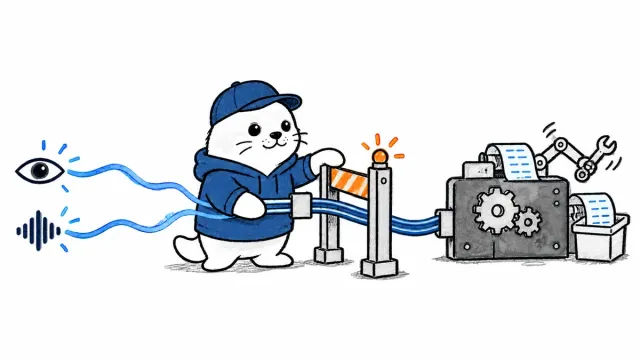
Infrastructure as code can now register an OpenAI MCP tunnel. It still cannot replace the client process, credentials or tool-level authorization that make the tunnel safe.
OpenAI Terraform MCP Tunnel support landed in version 1.2.0 of OpenAI’s official Terraform provider on September 18, 2026. The release adds an openai_mcp_tunnel resource and a matching data source, allowing organizations to define tunnel registrations in Terraform, import existing registrations and detect configuration drift. The provider creates the control-plane record. A separately deployed and authenticated tunnel client still carries traffic between a private MCP server and OpenAI services.
What Terraform manages and what it does not
| Component | Managed by the Terraform resource | Managed elsewhere |
|---|---|---|
| Tunnel registration | Yes | No |
| Name and description | Yes | No |
| Organization association | Read-only result | Derived from authenticated context |
| Workspace association | Read-only result | Derived from authenticated context |
| Tunnel credentials | No | Tunnel authentication workflow |
| Client deployment | No | Host, container or service manager |
| Private MCP server | No | Your own infrastructure |
| Tool permissions | No | MCP server and calling application |
This separation prevents a common configuration mistake. A successful Terraform apply proves that a registration exists. It does not prove that a client is online, authenticated, connected to the intended private endpoint or restricted to the correct tools.
The resource creates a control-plane object
The official resource documentation exposes a name and optional description as configurable fields. The resulting ID, creation time and organizational associations can be read after creation. The provider requires Tunnels API access and an organization-admin API key. That key belongs in a protected Terraform execution environment, not in a repository, module default or copied command history.
resource "openai_mcp_tunnel" "internal_tools" {
  name        = "internal-tools"
  description = "Private MCP tools for the support agent"
}
The example describes the registration only. It intentionally contains no local server URL, client token or agent permission list. Those values belong to later deployment and runtime layers.
A complete tunnel rollout has four gates
- Registration: Terraform creates or imports the OpenAI-side tunnel record.
- Client deployment: an operator runs the secure tunnel client on a host that can reach the private MCP endpoint.
- Authentication: the client proves which registered tunnel it is allowed to serve.
- Authorization: the MCP server and agent limit which tools, arguments and side effects are permitted.
A failure at any gate has a different remedy. Reapplying Terraform will not repair a crashed client. Restarting the client will not fix an organization mismatch. A healthy connection will not prevent an overly broad tool from deleting data. Treat the four gates as separate checks in deployment and incident response.
Terraform state needs a narrow access boundary
The current resource documentation does not present the registration itself as a credential issuer, but Terraform state still records infrastructure identity and relationships. Store remote state in a backend with encryption, locking, audit history and access limited to the team that administers the OpenAI organization. Do not print provider environment variables during CI diagnostics.
- Use a dedicated administrative execution identity rather than a developer’s personal shell.
- Keep the organization-admin API key in the CI secret store.
- Review plan output before apply, especially replacements and deletions.
- Restrict access to state snapshots and plan artifacts.
- Rotate credentials after any accidental log or artifact exposure.
Import makes existing registrations governable
The resource supports import by tunnel ID. That matters for teams that tested the secure tunnel manually and now want its registration under reviewable infrastructure code. Import should be followed by a plan that shows no unintended changes. If Terraform proposes replacing the registration, stop and compare the authenticated organization, workspace and desired name before applying.
The WebMCP permission-boundary guide explains why every exposed action needs explicit scope. The OpenAI Agents API guide covers the larger harness responsibilities that remain outside a tunnel registration.
Health checks must cover both sides of the connection
| Check | Expected evidence | Failure meaning |
|---|---|---|
| Terraform state | Registration ID and intended associations | Control-plane drift or wrong context |
| Client readiness | Authenticated and connected status | Runtime, network or credential problem |
| MCP discovery | Only approved tools appear | Server configuration or scope problem |
| Read-only call | Bounded response from private service | Routing or application failure |
| Consequential call | Explicit approval and audited result | Authorization boundary is incomplete |
A safe adoption sequence
- Create a test workspace and a minimally privileged admin credential.
- Register one clearly named tunnel through Terraform.
- Deploy the tunnel client near a disposable read-only MCP server.
- Verify readiness, metrics and reconnect behavior.
- Expose one harmless tool and confirm discovery from the intended OpenAI client.
- Add approval and argument validation before any write action.
- Import any manual registration instead of creating a duplicate.
- Test deletion and rollback procedures without touching production tools.
The practical verdict
OpenAI Terraform MCP Tunnel support makes registrations reviewable, repeatable and importable, which is valuable for organizations moving beyond one-off experiments. The resource is intentionally narrow. It should be paired with a separately managed tunnel client, protected administrative credentials, runtime health checks and tool-level authorization. Teams that preserve those boundaries gain infrastructure discipline without mistaking a successful apply for a secure working connection.
Primary sources
- OpenAI Terraform provider 1.2.0 release
- Provider changelog
- MCP tunnel resource documentation
- OpenAI secure MCP tunnel client
Checked September 21, 2026. Access to the Tunnels API and organization-admin credentials is required; registration does not deploy or authenticate the tunnel client.