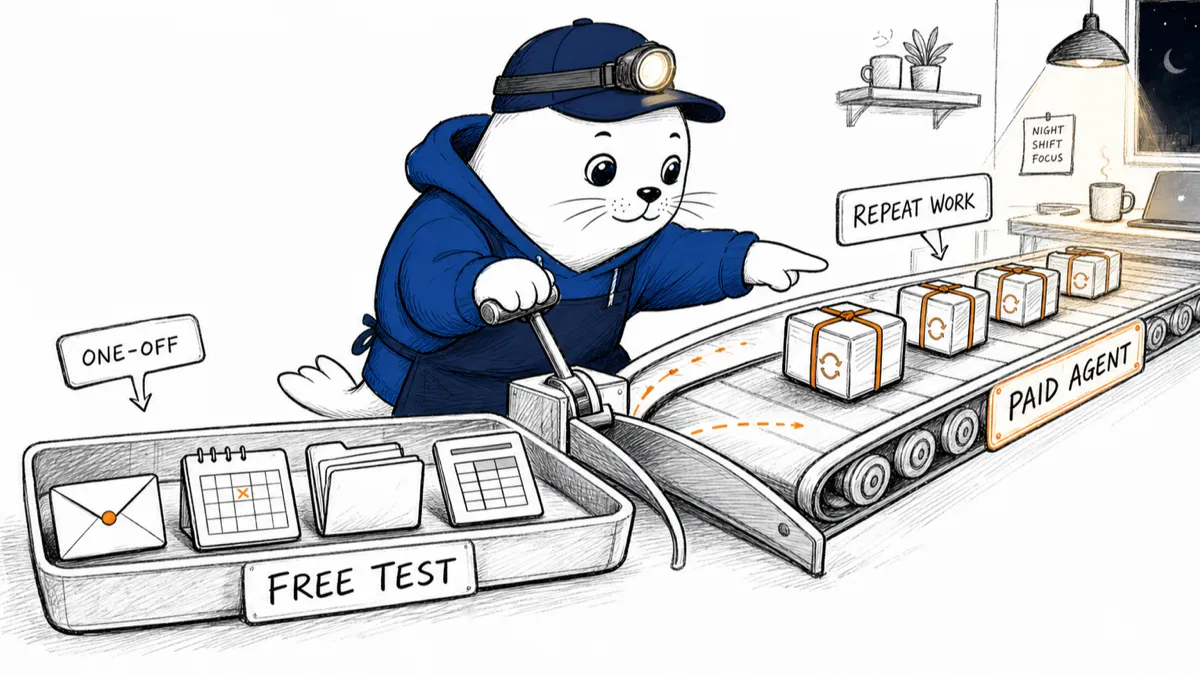
Gemini Spark can keep working after your laptop closes. The harder question is whether your work repeats often enough to justify paying for the tier that includes it.
Gemini productivity tools pricing is climbing on Google Trends because Google has turned one assistant into a stack of chat, research, storage, creative tools, Workspace features, and now a background agent. Comparing the plans by feature count is almost useless. The right comparison is which repeatable job each tier can finish for you.
Google changes plan bundles, limits, promotions, and local prices. I checked the official United States plan page on August 3, but you should treat the checkout page for your account and country as the live price. The important structural fact is stable today: Gemini Spark sits in Google AI Ultra, not the free, Plus, or Pro tier.
Gemini pricing now has four practical levels
The free Gemini app is still the right place to test chat, files, image tools, Deep Research, Canvas, and ordinary assistance. Google AI Plus raises usage and storage modestly. Pro increases model and product limits further. Ultra adds the highest access, more storage, broader bundles, and Spark.
Google now offers Ultra configurations with 5x or 20x usage relative to Pro in supported markets. Storage starts at 20 TB for Ultra, while Pro lists 5 TB and Plus lists 400 GB on the current U.S. comparison page.
Gemini productivity tools pricing by job
- A plan map based on Google’s current U.S. Google AI comparison page; local prices and availability vary.
- Free: Test Gemini chat, files, Canvas, Deep Research, and creative features with standard limits. Best for proving a use case.
- AI Plus: More Gemini access, 400 GB storage, and wider everyday productivity and creation limits. Best for regular personal use.
- AI Pro: Expanded model, research, Workspace, coding, Flow, Notebook, and storage limits. Best for daily heavy work.
- AI Ultra: Highest limits, 20 TB or more storage, premium bundles, early access, and Gemini Spark. Best when a background agent earns its keep.
What Gemini Spark adds
Spark is not another response style. Google describes it as a personal AI agent that can work in the background around the clock, including when your devices are off. It can handle multi-step tasks, schedules, and reusable Skills under your direction.
With approved connections, Spark can work across Gmail, Calendar, Drive, Docs, Sheets, Slides, YouTube, and Maps. Google has also announced connections for Tasks, Keep, Canva, Dropbox, Instacart, OpenTable, Zillow Rentals, and custom MCP servers, with availability varying by product and rollout.
On macOS, Google says Spark can organize permitted desktop files and connect them to Workspace tasks. It can also monitor chosen topics across the web, news, finance, shopping, weather, sports, social media, and email. Those are meaningful capabilities. They also expand the amount of data and action authority involved.
Gemini productivity tools pricing only makes sense against saved work
A subscription is easy to rationalize by dividing the price by thirty days. That hides the real question: did the agent complete a task you would otherwise have done, or did it create a new hobby called supervising the agent?
Pick one repeatable workflow. Measure the manual time, the number of corrections, and the value of the final action. A weekly inbox recap that saves fifteen verified minutes may be useful. A complicated automation that needs ten minutes of repair every run is not.
When Spark starts to justify Ultra
- The paid lane opens only after the workflow survives a real test.
- Stay free or lower tier: The task is occasional, chat-based, easy to copy, or still needs heavy correction.
- Stay lower tier: You mainly need higher chat or research limits, not background action across apps.
- Consider Ultra: The same multi-app job repeats, finishes unattended, and produces an output you can verify quickly.
- Consider Ultra: Your existing storage, YouTube, Flow, coding, or Google bundles replace subscriptions you already pay for.
A 14-day value test before you upgrade
- Write down one recurring job. Use a real inbox, calendar, file, or research workflow.
- Run the manual baseline. Time it once, including checking and cleanup.
- Prototype in the lowest tier possible. Confirm that Gemini understands the sources and desired output.
- Define the stop points. Major actions should require confirmation, especially messages, bookings, purchases, and file changes.
- Count net minutes saved. Subtract setup, correction, and supervision from the manual baseline.
If the work lives mainly in Google’s ecosystem, Spark has an advantage that a standalone chatbot cannot easily copy. If your tools are spread across unrelated services, check connector coverage before paying.
Privacy belongs in the pricing calculation
Google says Spark connections are off by default and that the agent works under your direction. On macOS, it can access only files you permit. Those controls are useful, but every connection still increases the value of a compromised account or a mistaken instruction.
Start with a limited folder, a non-sensitive calendar, or a dedicated process. Review generated emails before sending. Keep purchases and irreversible file operations behind confirmation until the workflow has earned trust.
How this compares with ordinary Gemini
Gemini already handles chat, long files, Deep Research, Canvas, images, and work across Google services. Our guide to Gemini inside the apps you already use covers that assistant layer. Spark is the move from answering to continuing the job later.
Model choice still matters for quality and limits, but it is not the whole product. For the faster end of Google’s stack, read our Gemini 3.6 Flash guide.
My verdict
Gemini productivity tools pricing is easiest to understand from the bottom up. Start free. Move to Plus or Pro when a real limit interrupts useful work. Consider Ultra only when Spark can complete a repeatable, multi-step job or when the bundled storage and Google products replace costs you already carry.
Do not upgrade because an agent can work 24/7. Upgrade when you have a job worth doing at 3 a.m., and a reliable way to check what it did by breakfast.
Check the current plan before paying
- Compare the live Google AI plan table for the United States.
- Read Google’s Gemini Spark overview and availability notes.
- Review Google’s June Spark updates for macOS and connected apps.
What recurring job would Spark need to complete before you would pay for Ultra? Tell me the task, not the feature.
Research note: I checked Google’s official Gemini Spark, Google One plan, Google One Help, and June product-update pages on August 3, 2026. Prices, promotions, limits, bundle contents, and country availability can change; the signed-in checkout page is the final source for your local price.