

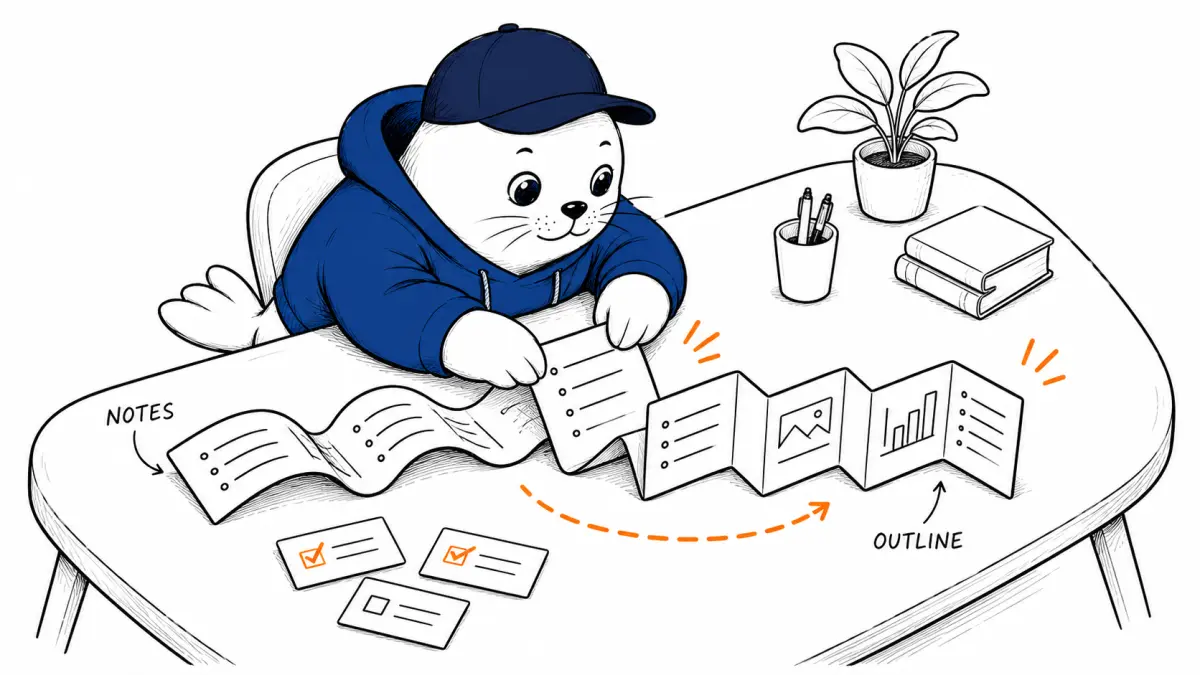
A presentation is only as persuasive as the evidence that survives the trip from customer notes to finished slides.
Figma’s agent is expanding into FigJam and Slides. The November 23 release announcement brings agent assistance to collaborative planning and presentations, extending the work beyond creating individual visual assets.
For a small startup, the useful question is whether that can shorten the path from feedback to an accurate launch story. Organizing a board and producing a deck are related jobs, but they fail in different ways.
A board can hide disagreement by merging notes too aggressively. A deck can turn an uncertain idea into a confident claim. A practical workflow needs a point where someone approves the argument before polishing its appearance.
We reviewed the announcement and feature documentation. The example below is an original, fictional launch brief that readers can adapt. It is not an agent-generated deck, a product test, or a measured time-saving claim.
Check the plan and file permissions separately
The FigJam help page lists Professional, Organization, and Enterprise plans. People who can access a board can chat about it; asking the agent to change it requires edit access.
The Slides documentation gives the same plan and permission distinction. It also describes an outline review before the user generates the deck.
Use those feature-level conditions when planning access. A general availability announcement should not override a more specific requirement. Check the plan, the file permission, and any organization control that applies to the person doing the work.
Credit consumption and connector-specific access were not tested for this article. A team should check its actual account terms before estimating generation costs. An editor permission does not, by itself, establish an unlimited generation allowance.
Start with notes that preserve disagreement
Imagine a fictional product called ParcelDesk, which helps small online shops organize customer delivery questions. The founder has six notes from conversations. These examples are invented to demonstrate the editorial decisions a launch workflow needs.
| Note | Evidence in the example | What it can support |
|---|---|---|
| A | One merchant wants fewer repeated delivery replies | A problem worth investigating |
| B | Another merchant prefers manual control | A competing preference to preserve |
| C | A demo routes a question to the right order | A capability shown in that demo |
| D | The founder hopes to cut reply time in half | A target, without measured proof |
| E | Beta access requires an invitation | A current eligibility condition |
| F | Pricing has not been approved | A fact that must remain unresolved |
Do not turn these notes into “merchants want fully automated support.” That would erase the second conversation and exaggerate the first. The board should keep both preferences visible, even if the launch message eventually focuses on one audience.
It should also separate the demonstration from the desired outcome. Showing that a question reaches an order does not prove a reduction in reply time. A slide can explain the feature without inventing a performance result.
A source identifier makes this distinction durable. If a slide says invitation-only, the reviewer can trace it to note E. If a slide claims a 50% improvement, note D reveals the mistake: it records a goal.
Approve the argument before generating the presentation
For this example, a reasonable outline would introduce the merchant’s problem, demonstrate the routing workflow, explain the control choices, and state beta eligibility. The final slide could ask whether merchants prefer suggested replies or automatic replies.
That outline leaves out an unapproved price and an unmeasured speed claim. It also creates a concrete feedback request. A visitor can answer the question without accepting the founder’s entire product strategy.
The documented Slides outline stage provides a natural review point. Check the argument there before spending time on the generated deck. A clean outline with an unsupported claim will usually produce a polished unsupported claim.
A useful prompt for the fictional brief would ask for four slides, cite notes A through F, and keep hopes separate from observations. It should explicitly preserve conflicting feedback and mark the price as undecided.
This is a proposed prompt specification, rather than a promise about the agent’s behavior. The founder still needs to inspect the resulting outline. If the source references disappear, add them back before treating the deck as a reliable summary.
Give each slide one verifiable job
A launch deck can become difficult to review when a single slide combines features, outcomes, eligibility, and pricing. Divide the work so each slide has a clear factual purpose.
| Slide in the example | Job | Release check |
|---|---|---|
| Problem | Explain repeated delivery questions | Describe the conversations without implying a survey |
| Demo | Show question-to-order routing | Use a real approved demo when available |
| Control | Present the manual and assisted choices | Keep the differing merchant preference visible |
| Try it | Explain invitation-only beta access | Use the actual access route and current terms |
The same structure helps when the deck later becomes a product page or a founder article. A reviewer can update the access slide without reopening every visual decision. The underlying facts should remain identifiable across formats.
Keep an approved text version outside the visual presentation as well. It becomes a useful reference when someone rewrites a caption or adjusts a mobile layout. A visual change should not quietly change the eligibility condition.
Budget review time alongside generation time
Suppose the fictional four-slide deck contains six factual claims. At an assumed two minutes per claim, source review takes 12 minutes. Add six minutes to inspect the access link and demonstration, for an 18-minute review budget.
That is a planning example, not observed Figma performance. It shows why a team should avoid equating fast generation with a finished launch asset. A deck can arrive quickly while its important facts still require checking.
If an outline review removes two unsupported claims before generation, the team avoids carrying those claims into later revisions. The benefit is easier to understand as avoided rework than as a universal percentage improvement.
For a real trial, record the starting notes, accepted outline, number of corrections, and reviewer time. Compare against a similar manually prepared deck. Include the time needed to repair charts or restore source context.
Use the same acceptance rule in both cases. A manually written presentation with errors should not count as finished either. The comparison concerns an approved asset that a founder can publish or present.
Keep connectors tied to the purpose of the file
Figma describes attachments and connectors as ways to provide context. For a founder, that makes source selection part of the editorial workflow. More context is useful only when the right people may use it for the intended output.
Prefer a small reviewed source packet for a public launch presentation. Include an approved product description, current access terms, and evidence for any performance claim. Keep unrelated customer or internal material out of that packet.
This is especially useful when a collaborator has broad workspace access, but the presentation has a narrow audience. Permission to read a document doesn’t automatically mean its contents belong in a public pitch.
Our earlier coverage of Figma’s code layers and Specs workflow concerns a different part of the product. The new FigJam and Slides release focuses attention on how a team organizes and communicates its work.
The strongest first use is a small, source-backed deck with a specific audience and question. Keep the conflicting notes, approve the outline, and judge the final asset by what a visitor can understand and verify.

Abdessalam Alaoui
I'm Abdessalam Alaoui, founder of Musthave.AI. I write practical guides to AI models, tools, generative media.