

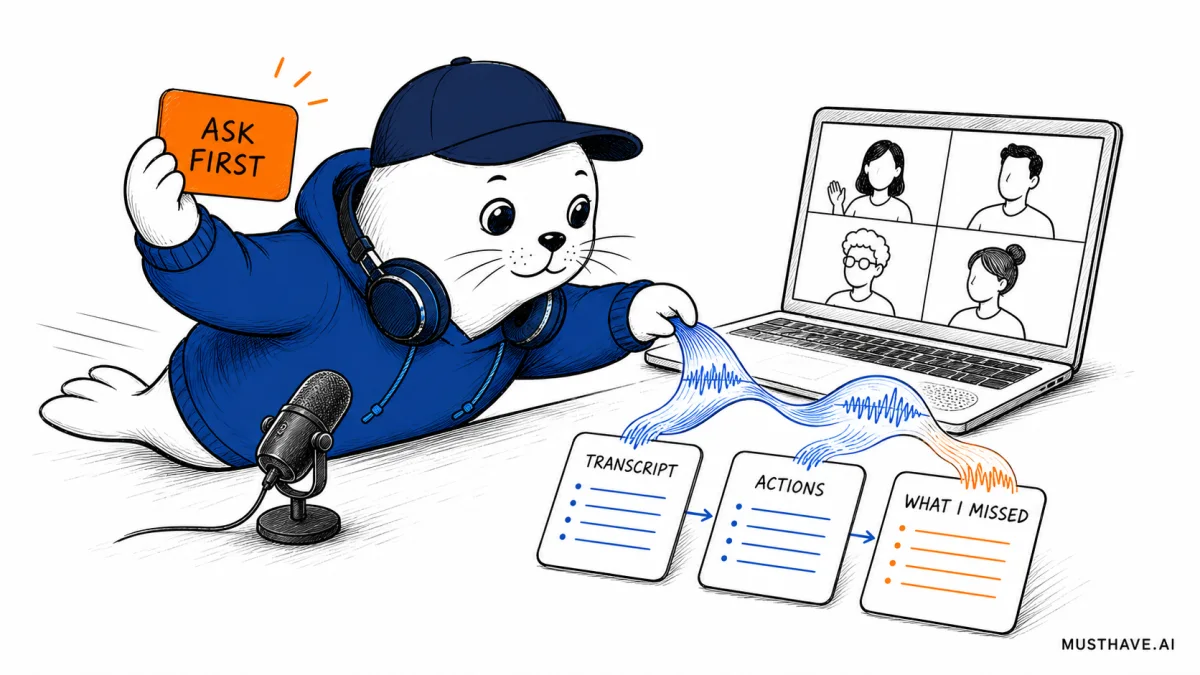
The first clue that an AI meeting recorder is listening is usually the extra "participant" waiting in the lobby. Wispr Flow has removed that clue. Its new Notetaker captures the call from your Mac without sending a bot into the room.
Wispr Flow Notetaker launched on August 5 with live transcription, speaker labels, summaries, action items, meeting questions, and a route into tools such as Claude, ChatGPT, and Cursor. It works across meeting apps because it listens to system audio on the device. That is convenient. It also moves a small but important job onto the person recording: telling everyone else.
The useful question is not whether a bot-free recorder looks cleaner. It does. The useful question is whether your team can keep the consent, storage, and model-training decisions visible when the recorder itself is not.
A meeting recorder that does not join the call
Wispr says its Notetaker works with Google Meet, Zoom, Microsoft Teams, Slack, Discord, WhatsApp, FaceTime, and in-person conversations. There is no calendar bot for a host to admit and no artificial attendee sitting in the participant list. The Mac app captures the computer’s audio, while the microphone can capture voices in the room.
That gives the product a wider surface than a meeting-specific integration. A customer call in Zoom, an internal huddle in Slack, and a voice memo can land in the same note library. The app can label speakers, produce a summary and action items, and answer questions about one meeting or a collection of meetings. The "What did I miss?" feature is designed for the moment you return after losing the thread.
The launch in one screen
Capture
- System audio, no meeting bot
- Microphone for in-person talk
- Live transcript and speaker labels
Use the notes
- Summaries and action items
- Questions across meetings
- MCP access for compatible AI tools
Availability
- Mac today, gradual rollout
- Windows coming next
- iPhone and Android on the roadmap
The catch is platform coverage. Notetaker is Mac-only at launch. Wispr lists Windows as coming soon and mobile support on the roadmap. Its ordinary dictation product already works on Mac, Windows, iOS, and Android, but that should not be confused with Notetaker availability. Existing Pro users get the new feature during a gradual rollout, so paying for Pro does not prove it has reached a particular account.
The privacy settings are three different decisions
"Privacy mode" sounds like one master switch. Wispr’s current documents describe something more specific. The July 25 privacy policy says Notetaker currently requires Cloud Sync because meeting data is synchronized to provide the requested features. It also says encrypted meeting audio may be temporarily retained on the device and, in some cases, in cloud storage, then automatically deleted under the applicable retention settings.
The model-training choice sits beside that system rather than replacing it. Wispr says synchronization and retention are controlled by product features such as Cloud Sync, not by the model-training preference. If a user opts into training, eligible pseudonymized transcripts, text outputs, and corrections may be used to improve the service. The company says meeting audio is not used for training unless that use is expressly disclosed and enabled.
Three checks before Record
- Notice and consent: Who tells participants, and how is that acknowledgment recorded?
- Sync and retention: Which meeting data leaves the device, and when are audio, transcripts, and notes deleted?
- Model training: Is training enabled, and which eligible text or meeting outputs could be included?
This distinction is easy to miss if you read Wispr’s older Data Controls page, which explains zero-retention configurations for dictation. The newer Notetaker-specific policy says Cloud Sync is currently required. I would treat the newer, product-specific language as the safer guide and check the settings in the actual Mac app before recording a sensitive conversation.
No bot means consent becomes your workflow
A visible meeting bot can be clumsy, but it provides a signal. People see the name, a host admits it, and some services post an automated notice. A local recorder can remove all three moments.
Wispr addresses this directly on its Notetaker page: users are responsible for informing participants and getting any consent required by law or policy. That is the right warning, but a sentence in product documentation is not a team process. Recording rules vary by jurisdiction, workplace, client contract, and the kind of information being discussed. This article is not legal advice; it is a reason to ask whoever owns your policy before switching the feature on.
For an independent creator, a simple spoken notice at the start may be enough under the rules that apply to the call. A company needs something repeatable: a calendar note, a standard opening line, a visible recording indicator where possible, and a route for someone who does not agree. If the meeting includes health, legal, employment, financial, customer, or confidential product data, "the app is HIPAA-ready" is not a substitute for checking the account plan, contract, permissions, and approved workflow.
This is the same question we ask of AI agent demos: where is the human control line, and can everyone affected see it?
Free is enough for a real test
The free plan includes Notetaker, speaker identification, meeting questions, and MCP access, with a weekly meeting limit. Wispr does not publish the exact meeting count on the pricing page checked for this article. It does say recordings under five minutes do not count toward the weekly limit.
Pro costs $15 per user on a monthly plan or $12 per user per month when billed annually. That is $180 versus $144 for twelve months, a $36 annual difference, or 20%. Pro raises the meeting limits and keeps notes longer. Longer retention may be convenient, but it is not automatically better for a team trying to minimize stored meeting data.
There is also an Enterprise footnote worth noticing. The public pricing page lists enterprise security and administration features, then says Notetaker is coming soon to Enterprise. If you need SSO, managed controls, a BAA, or organization-wide policy enforcement, confirm the product’s current enterprise availability with Wispr instead of assuming the consumer launch covers the procurement path.
Our Wispr Flow tools listing has the broader product overview. For this launch, I would stay free until the meeting limit interrupts a workflow that has already passed the privacy and consent checks.
A 20-minute rollout test
Test the workflow, not the demo
- Minutes 0–3: Choose a low-risk practice call and state clearly that the meeting is being transcribed.
- Minutes 3–8: Talk over each other once, mention two names, and assign one action with a date.
- Minutes 8–12: Check speaker labels, the transcript, the summary, and the action item against what was said.
- Minutes 12–16: Inspect Cloud Sync, retention, model-training, calendar, and connected-tool settings.
- Minutes 16–20: Delete the test meeting and confirm what disappears from the app and any connected workflow.
Pass condition: the notes are accurate enough to act on, every participant knew the recorder was active, and the team can explain where the data goes.
Include one deliberate failure in the test. Mute the microphone, switch audio devices, or close the laptop lid for a moment. A recorder earns trust when the team can recognize a gap, not when a polished summary hides it. If action items matter, compare each one with the transcript before pushing it into a task system.
The MCP connection also deserves its own boundary. Passing notes into Claude, ChatGPT, Cursor, or another client can create a second set of retention and access terms. The recording policy should follow the data after the meeting, not stop at the Wispr library. That same discipline matters when choosing from the AI tools that genuinely help freelancers: fewer handoffs are better unless each handoff saves real work.
My verdict: the invisible recorder needs a visible ritual
Wispr Flow Notetaker has a smart product idea. Capturing system audio lets it work across more conversations without filling meetings with bots. Live notes, questions, and MCP access can shorten the distance between talking and doing.
But the absence of a bot is not only a cleaner interface. It removes a cue that other people may rely on. I would use the launch to build one visible ritual: announce the recorder, confirm the meeting is appropriate for it, and check the three separate controls for notice, retention, and training. If that ritual feels too heavy for the call, the recorder probably should stay off.
Go deeper
- Wispr Flow: official Notetaker product page
- Wispr Flow: current plans and feature comparison
- Wispr Flow: privacy policy, updated July 25, 2026
- Wispr Flow: terms of service and Meeting Data definitions
- TechCrunch: independent launch report
Checked August 5, 2026. Availability is rolling out and product limits, retention, prices, and policies can change.


