

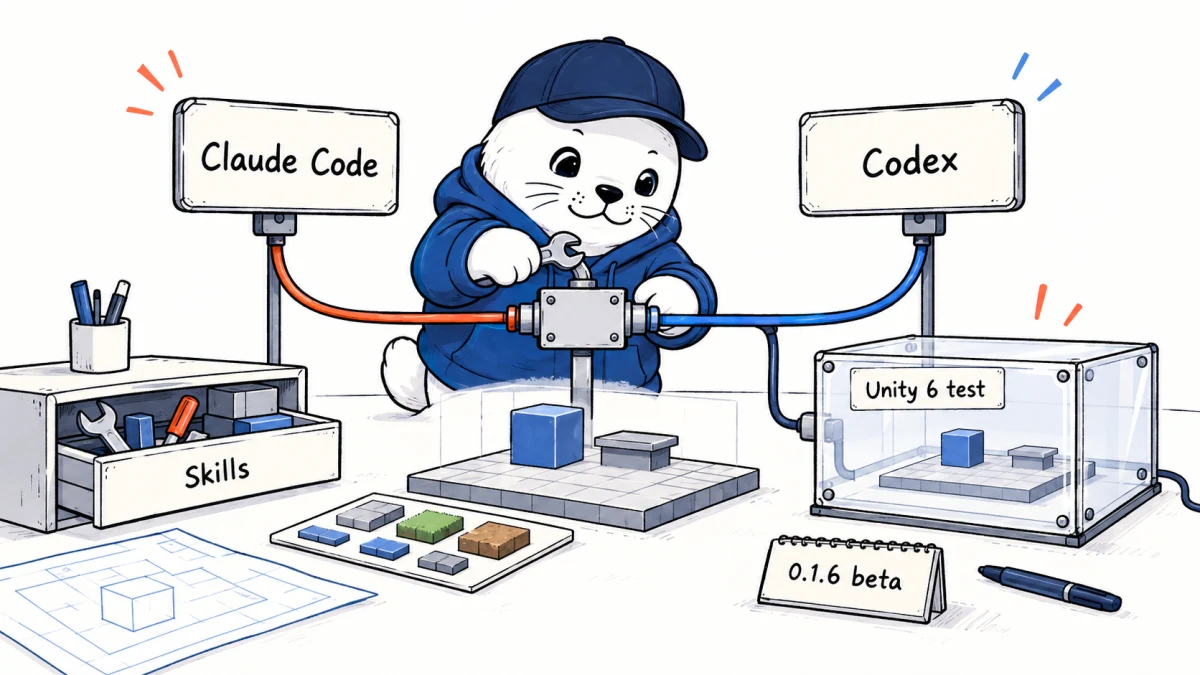
Game-development agents often fail for a mundane reason: they know general C# but not the exact Unity workflow, package rule or rendering constraint the project depends on.
The Unity agent plugin is Unity’s official package of documented game-development guidance for Claude Code and Codex. It supports Unity 6 or later and includes skills for monetization, user interface work, pixel art, rewarded ads, tile palettes, TextMeshPro and Render Graph review.
What Unity actually published
The public repository contains agent-specific plugin descriptors, a shared skills directory, scripts, assets and a license. It is designed to inject Unity-grounded instructions into an agent when a matching task appears. It does not automatically become a remote-control bridge into the Unity Editor.
| Layer | What it supplies | What it does not prove |
|---|---|---|
| Plugin manifest | Discovery and installation for each supported agent. | That every client version supports the same lifecycle. |
| Skills | Task-specific Unity guidance and recommended practices. | That commands can control a running Editor without another integration. |
| Scripts and assets | Support files used by the packaged workflow. | That every file is safe for every project without review. |
| Unity Companion License | The legal terms for using this repository. | That the project is MIT or Apache-licensed. |
Install it in Claude Code
Inside an interactive Claude Code session, Unity documents these slash commands:
/plugin marketplace add Unity-Technologies/unity-agent-plugin
/plugin install unity@unity-agent-plugin
From a terminal, use the equivalent CLI commands. An open Claude Code session needs /reload-plugins, or the plugin loads the next time Claude Code starts.
claude plugin marketplace add Unity-Technologies/unity-agent-plugin
claude plugin install unity@unity-agent-plugin
Unity says typing /unity: should reveal the installed skills, while /plugin should show unity as installed and enabled.
Install and verify it in Codex
codex plugin marketplace add Unity-Technologies/unity-agent-plugin
codex plugin add unity@unity-agent-plugin
codex plugin list
The official README uses 0.1.6-beta in its Codex verification example. That number is a useful baseline, not a permanent latest version. Record the version shown on your machine before comparing agent behavior or reporting a bug.
Our Codex versus Claude Code comparison covers the surrounding execution, permission and cost differences that a shared plugin does not erase.
The skills cover concrete production problems
- In-app purchases: guide a coin-pack or other product flow.
- User interfaces: build settings and other screens with Unity-aware structure.
- Pixel art: diagnose blur and camera jitter.
- Rewarded ads: design a reward flow around video advertising.
- Tile palettes: create level-building palettes, including hexagonal layouts.
- TextMeshPro: troubleshoot missing glyphs such as Chinese characters.
- Render Graph: review a
ScriptableRendererFeaturefor migration or compatibility problems.
These examples reveal the plugin’s real value. General coding knowledge can produce syntactically valid C# that violates Unity’s asset pipeline, rendering rules or package expectations. A maintained skill can place the relevant official practice next to the coding task.
Guidance plugin and editor control are different products
| Capability | Unity agent plugin | Editor-control integration |
|---|---|---|
| Explain a recommended workflow | Yes, through skills and documented practices. | May also explain, depending on the agent. |
| Edit project files | The host agent can edit files within its permissions. | Usually possible when the agent has file access. |
| Create objects in a running scene | Not established by the plugin alone. | Requires an Editor API, MCP server or other bridge. |
| Read live Editor state | Not established by the plugin alone. | Requires an explicit connection and permissions. |
| Run play-mode validation | The skill can recommend it. | A connected tool may execute it. |
This distinction prevents a common overclaim. Installing an instruction package does not silently grant scene control, network access or permission to publish a build.
Use a disposable Unity 6 project for the first test
- Create an empty Unity 6 project outside a production repository.
- Commit the clean project before the agent touches it.
- Install the plugin and record the exact repository revision or plugin version.
- Ask for one bounded task, such as a settings panel with no third-party package.
- Require the agent to state which skill it used and which files it plans to change.
- Review the diff, open the project, reimport assets and confirm the Console is clean.
- Run edit-mode or play-mode tests and build a throwaway target.
- Remove the generated change and repeat with the other agent under the same prompt.
The result should be judged by accepted task completion, warnings, repair work and reproducibility, not by how convincing the explanation sounds.
Version pinning and removal deserve a place in the plan
The repository did not expose a formal GitHub Releases page when checked. That makes a recorded commit, tag or displayed plugin version especially important for team reproducibility. Before an update, preserve the old version and rerun the disposable-project test.
- Record the marketplace source and installed version.
- Inspect plugin files before organization-wide rollout.
- Review the Unity Companion License with the intended distribution model.
- Use the host agent’s plugin manager to disable or remove the package.
- Delete manual symlinks only after resolving their exact target.
- Confirm the
unityskills no longer appear after a reload.
The plugin now appears in our updated AI GitHub repositories guide with the same license and capability boundary.
The practical verdict
The Unity agent plugin is a useful official knowledge layer for Claude Code and Codex, particularly where Unity-specific conventions decide whether an edit is production-ready. It should be evaluated as a beta guidance package, not described as automatic Editor control or generically labeled open source. Pin the version, test one skill in a disposable Unity 6 project and keep the agent’s permissions separate from the plugin’s advice.
Primary sources
- Unity Technologies official agent plugin repository
- Unity Companion License in the repository
- Unity advanced agent integration reference
Checked September 20, 2026. Repository stars, forks, commits and displayed plugin versions are volatile and are not evidence of software quality.


