

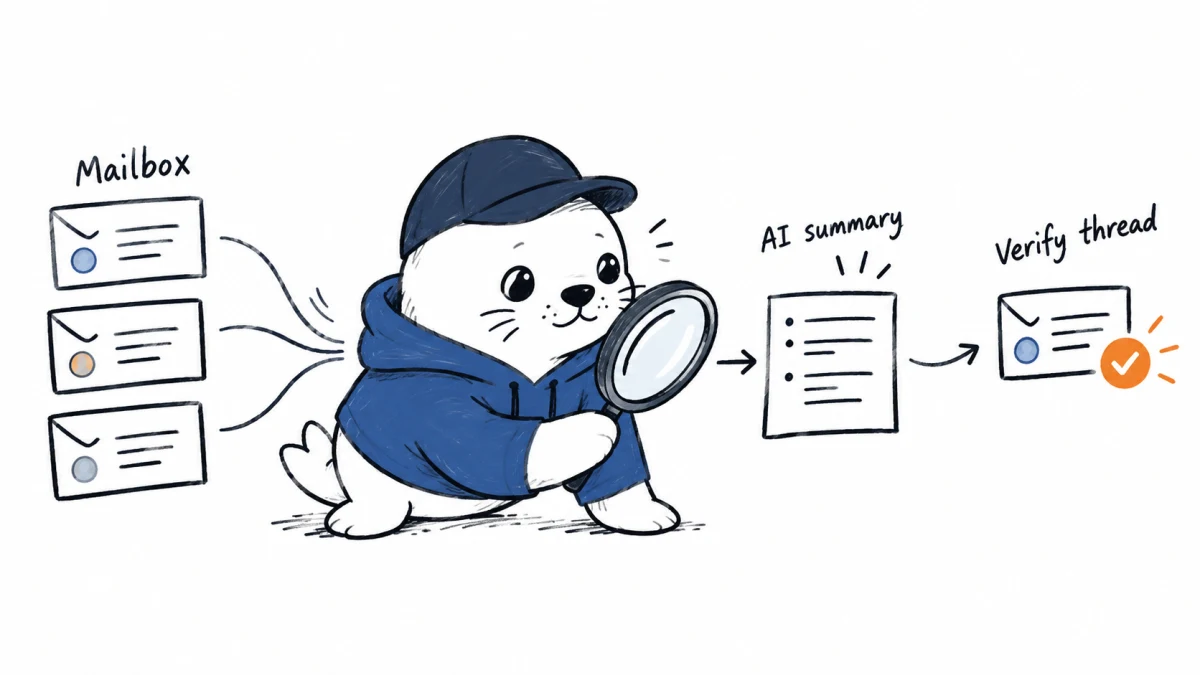
Gmail can now answer a natural-language mailbox question for more users worldwide. The useful shortcut is the summary; the trustworthy record is still the message thread underneath it.
Gmail Search AI Overviews are expanding beyond US English users to eligible paid accounts globally, as long as Gmail is set to English and the required smart-feature controls are enabled. Google says users can ask a question in Gmail search and receive a concise answer or summary without manually opening every result.
Eligibility is a four-part check
- Plan: the account must be on an eligible paid Workspace, education add-on or consumer Google AI plan.
- Language: Gmail must be set to English for this rollout.
- Admin policy: managed accounts need Gemini for Workspace in Gmail and Workspace Intelligence access to Gmail enabled.
- User settings: both smart-feature settings named by Google must be on.
| Account type | Included editions | Boundary |
|---|---|---|
| Business | Starter, Standard and Plus | Workspace and user settings still apply. |
| Enterprise | Starter, Standard and Plus | Admin enablement still applies. |
| Frontline | Frontline Plus | Other Frontline editions were not named. |
| Education | Google AI Pro for Education | This is an add-on entitlement. |
| Other add-on | AI Expanded Access | Verify the assigned user license. |
| Consumer | Google AI Plus, Pro and Ultra | Personal accounts in the EEA, UK, Switzerland and Japan are excluded from this rollout. |
The rollout dates explain inconsistent visibility
Rapid Release domains began a gradual rollout on September 3, 2026, with up to 15 days for visibility. Scheduled Release domains begin a full rollout on September 21, with Google estimating one to three days. Consumer rollout also began gradually on September 3. Two coworkers with the same edition can therefore see different interfaces during the rollout window.
Search retrieval and AI synthesis are separate operations
A traditional mailbox search returns messages that match terms, senders, dates or operators. An AI Overview interprets a natural-language question and synthesizes an answer from mailbox content. That can reduce reading time, but it adds a new failure mode: a fluent answer can merge messages, miss a correction or rely on quoted text from an older thread.
| Question type | Typical risk | Verification step |
|---|---|---|
| “What deadline did the client approve?” | An older date may appear in quoted text. | Open the latest authoritative message and confirm sender and timestamp. |
| “What did finance say about the budget?” | Two threads may discuss different projects. | Check project name, participants and attachments. |
| “Which address should we ship to?” | A later correction may be missed. | Search for correction language and verify the newest instruction. |
| “Summarize the incident” | Forwarded content can blur who observed what. | Separate primary reports from quoted or relayed statements. |
| “What am I waiting on?” | The answer may treat a completed request as open. | Inspect replies after the cited message and the current task system. |
A ten-query admin pilot before broad enablement
- One exact fact in a single recent thread.
- One fact corrected later in the same thread.
- The same subject used by two unrelated projects.
- A message with quoted older content.
- A mailing-list alias and a direct message from the same person.
- A result with an attachment containing the decisive fact.
- A message the tester recently lost access to.
- A delegated mailbox or shared-inbox scenario.
- A query with no supporting message.
- A question whose answer changed after the initial rollout test.
For each query, record whether the answer is correct, whether the supporting message is easy to open, whether the newest instruction wins and whether the result respects current access. The pass condition should be defined by the risk of the use case. A wrong lunch location and a wrong payment instruction do not belong to the same threshold.
Privacy review starts with existing mailbox permissions
The release note documents availability and settings, not an independent privacy or accuracy audit. Administrators should verify retention, logging, regional requirements and the organization’s acceptable-use policy in the applicable Workspace documentation and contract. The feature should not make restricted mail visible to an unauthorized user, but teams still need to test group membership changes, delegated access and account offboarding.
Do not treat the two smart-feature switches as a complete governance decision. They are enablement controls. High-risk actions still need a source check, and sensitive workflows may require a narrower organizational policy even when the product is available.
A simple user rule prevents the largest mistake
Use the AI Overview to locate and orient. Use the original email to decide and act. If an answer affects money, legal obligations, security, employment or a customer commitment, open the cited thread, confirm the latest message and verify the sender.
This distinction is different from public-web visibility in our Search Console AI Overviews guide. Gmail Search works over private mailbox content and inherits a much more specific identity and access context.
The practical verdict
Global expansion makes Gmail Search AI Overviews a real Workspace deployment decision instead of a US-only experiment. The feature can save time when a mailbox contains the answer but ordinary search terms are hard to remember. Its operational quality depends on eligibility settings, source visibility and disciplined verification. The summary is a navigation layer, not the final business record.
Primary source
Checked September 18, 2026. Plans, rollout dates and setting requirements come from Google. The testing matrix and verification rules are MustHave.ai analysis.


