
GitHub has added a local sandbox to the Copilot app, giving developers project-level controls for filesystem access, outbound connections and credentials. The useful security detail is easy to miss: the sandbox is a public preview and it starts disabled.
What GitHub Copilot local sandboxing changes
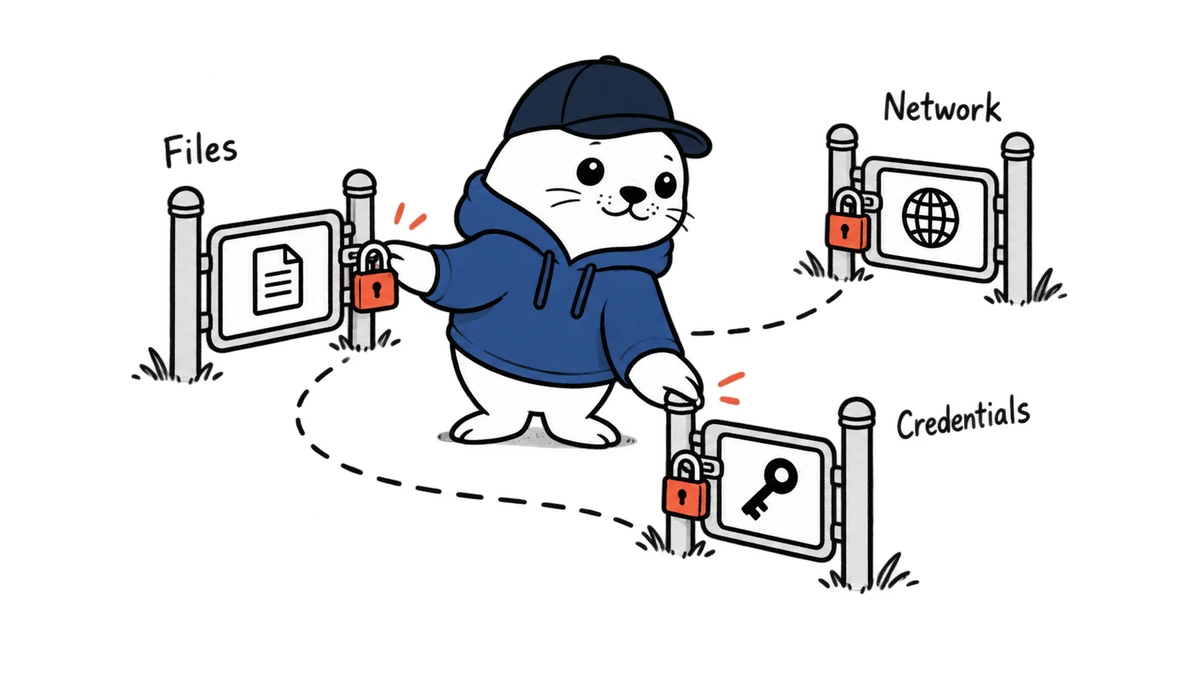
GitHub Copilot local sandboxing lets a project define which paths an agent may read or write, whether it can reach the internet or local network, and whether Git and GitHub CLI credentials are available. The policy applies to Copilot app sessions that run against a local repository or working tree.
This moves an important control closer to execution. Instructions such as “do not edit deployment files” are model guidance. A sandbox rule that denies the path is an operating boundary. The two can work together, but only the latter can block an action even when the agent misunderstands the instruction.
The three boundaries developers can configure
| Boundary | Published control | Practical risk reduced |
|---|---|---|
| Filesystem | Additional read-write, read-only and denied paths | Accidental edits outside the repository or access to local secrets |
| Network | Outbound internet and local-network access | Unapproved downloads, data transfer and calls to internal services |
| Credentials | Git and GitHub CLI credential availability | Repository actions performed with the developer’s identity |
A project can need a narrow exception. An agent may require read-only access to a shared SDK directory or outbound access to one package registry. The safer pattern is to grant the smallest exception that makes the test pass, rather than opening a broad path or the entire network.
Why off by default is the headline
GitHub says local sandboxing is off by default. Configuring a policy affects new sessions, and the /sandbox on command can enable the sandbox in an active session. That means installing the Copilot app or updating it does not automatically place every local agent session inside the new boundary.
Teams should treat enablement as a release task. Put the policy in the project setup, document the expected restrictions and add a simple verification session. A security feature that depends on a user remembering a command is not yet an organizational control.
This sandbox is not a VM or container
GitHub describes the feature as operating-system-level enforcement. On macOS it uses Seatbelt, on Linux it uses Bubblewrap, and on Windows it uses ProcessContainer. Windows support currently requires an Insider build. The feature does not apply to cloud sessions or sessions delegated to a remote host.
The distinction matters because a full virtual machine has a separate operating-system boundary. A local policy sandbox shares more of the host environment and depends on the enforcement available on that platform. GitHub also documents best-effort policy behavior for built-in file tools that execute inside the Copilot process.
A five-minute containment test
- Start a new local session with the project sandbox enabled.
- Ask the agent to create and edit a harmless file inside the approved working directory.
- Ask it to read a harmless test file from a path configured as denied.
- Try one approved host and one blocked host without exposing secrets.
- Confirm that Git and GitHub CLI operations behave according to the credential policy.
- Save the session result and repeat after changing project policy or operating-system version.
Use disposable test paths and repositories. The purpose is to prove the boundary, not to challenge it with sensitive credentials or production data.
How sandboxing and observability fit together
Sandboxing limits the actions available before execution. Tracing records behavior after execution. Both are needed. The GitHub Copilot OpenTelemetry guide explains the trace layer, while the JetBrains enterprise sandbox analysis covers managed controls in another Copilot environment.
A denied network request should appear as an expected failure in the agent workflow. A permitted repository write should be linked to the approval, tests and resulting commit. That evidence is more useful than a dashboard that merely counts agent messages.
The practical verdict
GitHub Copilot local sandboxing is a meaningful security control because it converts several agent permissions into enforceable project policy. Its current limitations are equally important: public preview status, off-by-default behavior, platform dependencies, local-session scope and best-effort handling for some in-process tools.
Adopt it as a tested boundary, not a safety label. Define the policy, start a fresh session, exercise denied and allowed paths, and keep service-side authorization in place for every external tool.
Primary sources
- GitHub changelog: local sandboxing in the Copilot app
- GitHub Docs: using local sandboxing
- GitHub Docs: cloud and local sandbox concepts
Checked September 23, 2026. Local sandboxing is a public-preview feature, is off by default and has platform-specific enforcement requirements.

Abdessalam Alaoui
I'm Abdessalam Alaoui, founder of Musthave.AI. I write practical guides to AI models, tools, generative media, and ways real people make money with this stuff. No press-release fluff. 20+ years shipping digital products; you'll also find my work around HowTik, Yumasty, and IncomeHelpful.