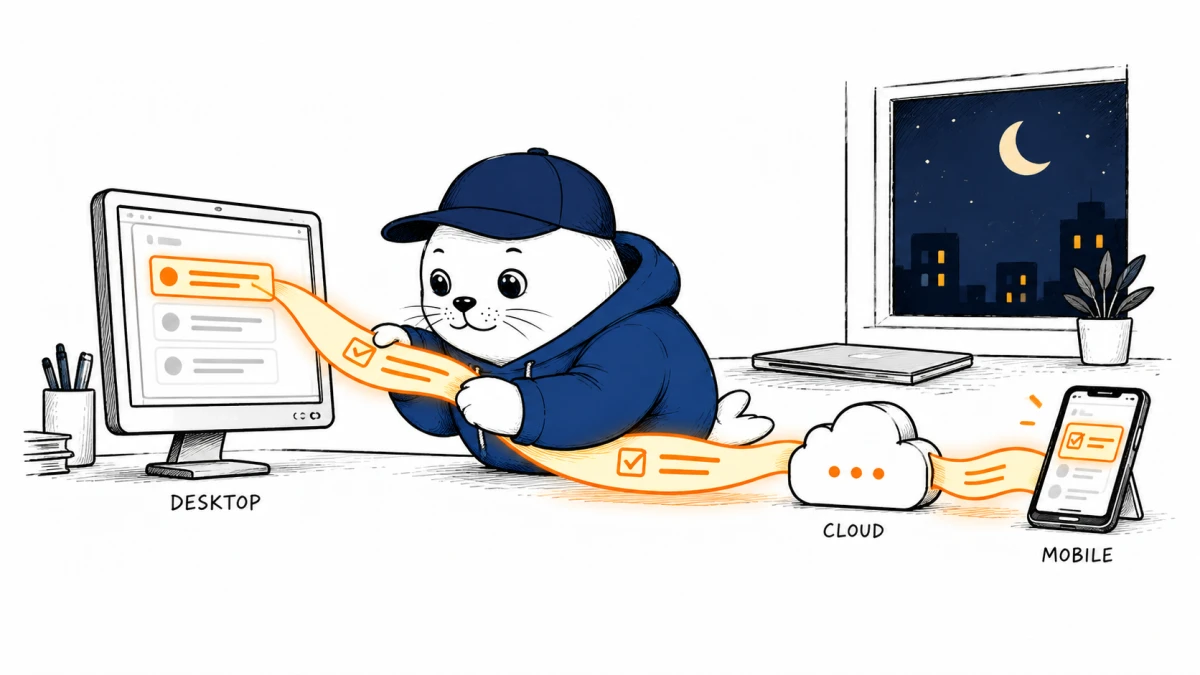
At 5:30 p.m., you hand an AI agent a research job. At 5:31, you close the laptop. Amazon’s new desktop app is designed so that this is no longer the end of the run.
AWS made the Amazon Quick desktop app generally available on September 9, 2026 for macOS and Windows. It works with local files and can stay connected to calendar, email and business apps. Conversations, context and agents synchronize with the mobile app.
5:30 p.m.: the job starts on your computer
The desktop client can index a local folder as a searchable space. That matters for work that begins with a spreadsheet, presentation or document which has never been uploaded to a shared knowledge base. Quick spaces and Quick apps also run natively on desktop, while inline citations are intended to connect answers back to their sources.
This is more than a browser shortcut. The useful boundary is between local context, cloud execution and mobile review. The desktop app is the entry point, not necessarily the machine doing every minute of work.
5:31 p.m.: the laptop closes, but the agent does not
AWS says scheduled tasks and monitoring agents run in the cloud and continue after the computer closes. Their results flow into Quick’s activity feed. A daily briefing refreshes three times a day, and the feed can search up to seven days of activity.
The practical shift is not desktop versus cloud. It is a handoff between them that the user does not have to rebuild.
6:10 p.m.: the commute becomes a control surface
Because Quick synchronizes across desktop and mobile, AWS’s proposed workflow is simple: start the agent at work, add an input from the phone during the commute and inspect the output later. That is a meaningful difference from an automation tied to a local process that disappears when the lid shuts.
It also creates a governance question. A local file may seed a cloud-running task. Teams should verify which files are indexed, which connectors remain authorized and whether a long-running agent can act or only report. Our guide to ChatGPT Work Data Agent permissions offers a useful review pattern: map what the agent can read, decide and change.
The admin story arrives with the convenience
- Mobile device management support helps enterprises control the client.
- Per-user permissions narrow who can access particular capabilities.
- Microsoft Purview data loss prevention integration adds another policy layer.
- Teams can share files and publish agents and skills for colleagues to install.
Those controls are welcome, but their presence does not prove that a company’s configuration is safe. An administrator still needs a connector inventory, retention policy, output-review rule and an owner for each scheduled agent.
The regional and entitlement boundaries matter
The Amazon Quick desktop app launched in seven AWS Regions: Northern Virginia, Oregon, Sydney, Tokyo, Ireland, London and Frankfurt. AWS also increased monthly agent hours from four to eight for Professional subscribers and from eight to 18 for Enterprise subscribers, according to its companion announcement.
Agent hours are an entitlement, not a productivity guarantee. A useful pilot records elapsed runtime, human correction time and accepted outputs. The same logic applies to the OpenAI Agents API harness: execution infrastructure is valuable only when the team can inspect what happened.
What I would test in one working day
- Index one disposable folder containing non-sensitive test documents.
- Start a research task that takes longer than a normal chat response.
- Close the computer, add a mobile instruction and confirm the execution trace survives.
- Check every citation against the original local or connected source.
- Remove the folder and connector, then verify that access has actually ended.
My take: continuity is the product
The headline feature is a desktop client, but the more consequential design is continuity. Quick tries to make a task survive the boundary between a local file, a cloud agent and a mobile follow-up. If that handoff is reliable and observable, it can reduce the constant restart cost of workplace AI. If permissions and traceability are vague, it merely makes unattended work easier to overlook.
Primary sources
- AWS desktop app general availability announcement
- AWS always-on agents and enterprise controls announcement
Checked September 13, 2026. Product behavior, regional availability and entitlements are attributed to AWS. MustHave.ai has not independently benchmarked Amazon Quick.