Sometimes you want to open the original pages before reading a generated answer.
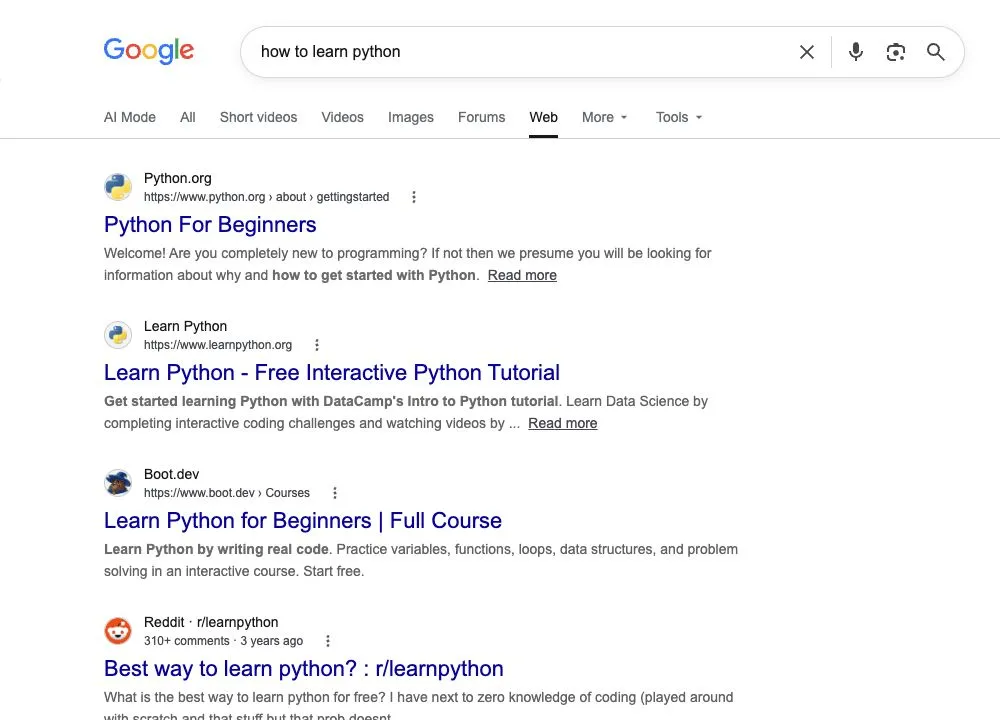
Run your Google search, then select the Web filter. If Web is hidden, open More to find it. Google’s AI Overviews help page says this view shows text-based links without features such as AI Overviews. Google does not provide a general off switch for the core feature.
Find Web on a desktop search
- Enter your query on Google and load the results.
- Look for Web in the filter row beneath the search box.
- If it is absent, open More and select Web.
- Check that Web is selected before following a result.
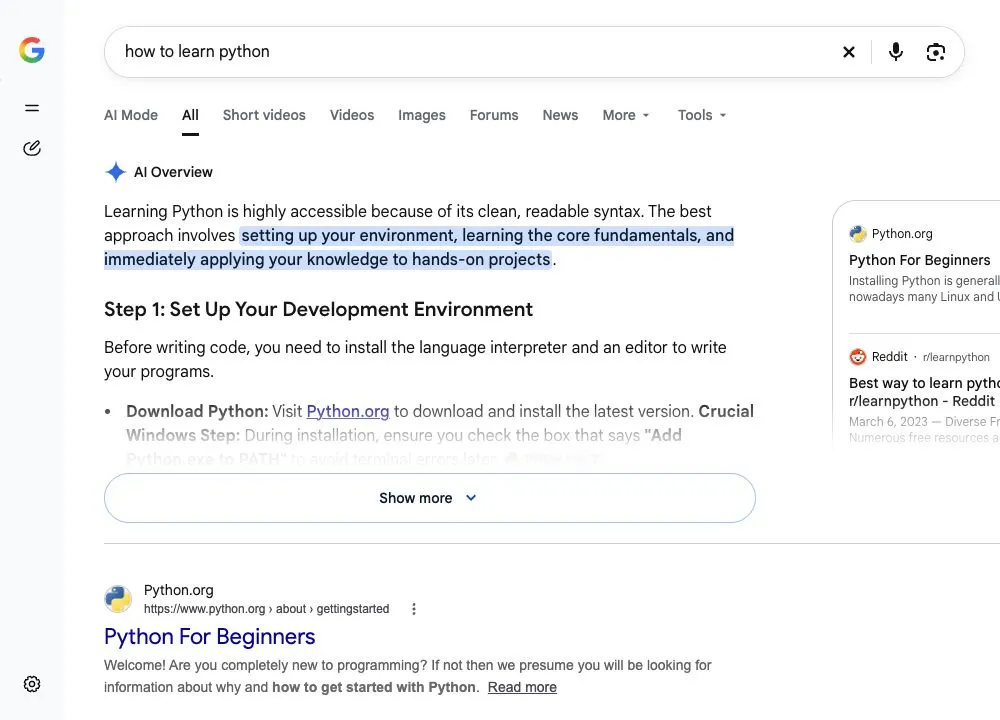
In our November 5 browser check, the English query how to learn python produced an AI Overview in the All view. More contained Web. Selecting it returned a link-focused result page without an AI Overview. This is one observed session, not a promise that every query shows an Overview first.
The before-and-after images below are real browser captures. They show the selected result view, rather than a generated mockup.
On a narrow screen, check the filter row
Google’s search-filter guidance notes that filters and their order depend on the search. Look across the row beneath the search box for Web, or use More if that menu is present. Do not assume its position stays fixed between queries.
We also rendered the Web result page at a 390-pixel browser width and confirmed that it displayed no AI Overview. This was a responsive browser check, not a test in the native Google app or on an Android or iPhone device. Mobile-app menus may differ.
A filtered view does not change every future search
Selecting Web applies to the result view you are using. It does not establish a permanent account preference that removes AI Overviews everywhere. After a new search, verify the selected filter again. Returning to All brings back Google’s other search features.
Leaving an optional Search Labs experiment is a separate action. It should not be described as disabling every AI Overview. Google also warns that Search service settings are being updated, so help-page controls may differ from those in your account.
Choose the view that fits the task
Web is useful when you want a list of pages to investigate, especially to find an original document or compare several sources. It does not certify the accuracy of those pages. Open the result and inspect its evidence before relying on an important claim.
For changes affecting publishers, see our Google Search control coverage. What kind of search sends you straight to the original sources?

Abdessalam Alaoui
I'm Abdessalam Alaoui, founder of Musthave.AI. I write practical guides to AI models, tools, generative media.