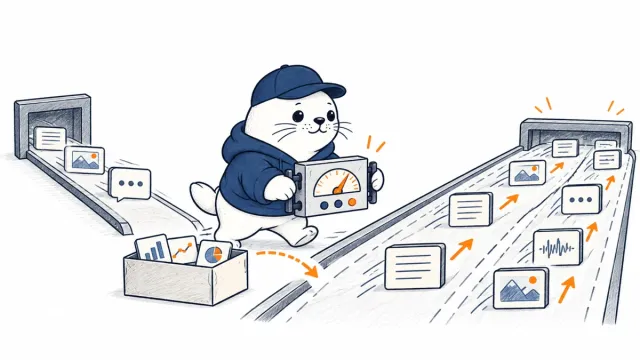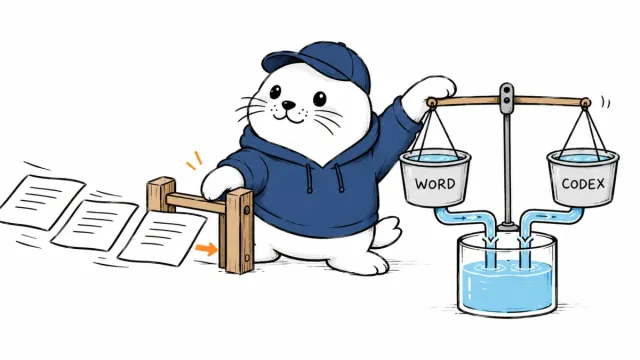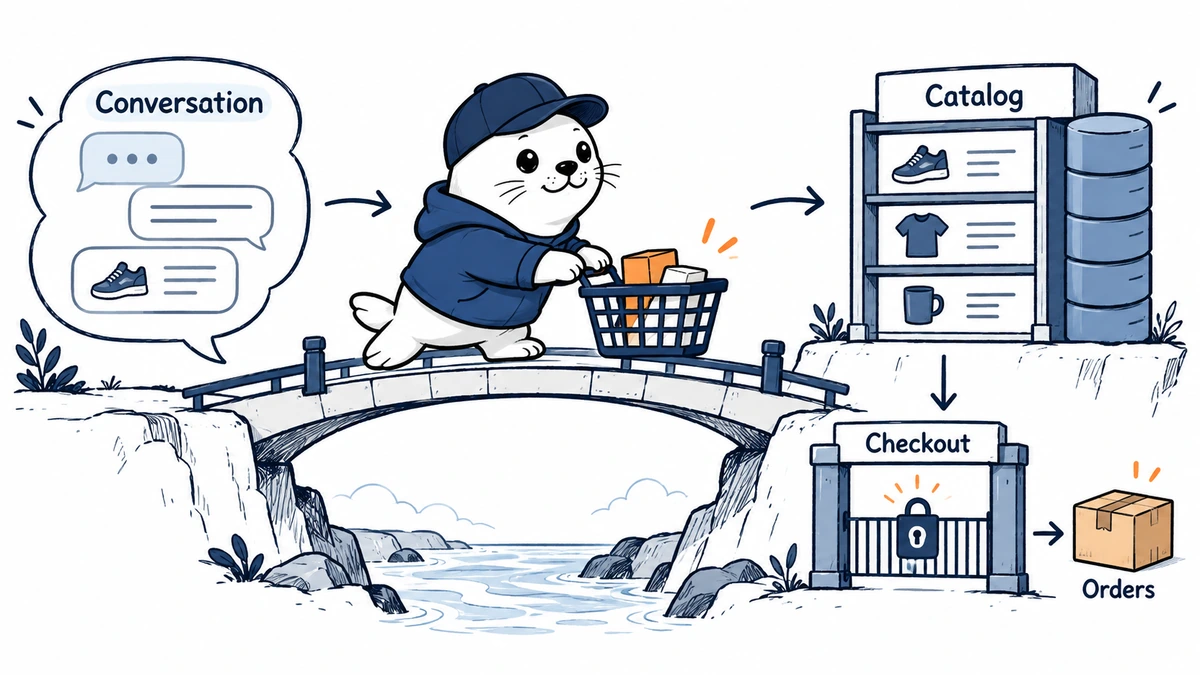
The short answer is that ChatGPT and Shopify aren’t competing ecommerce platforms.
ChatGPT is becoming a place where shoppers discover, compare, and discuss products. It can also become a conversational control surface for a merchant who connects Shopify’s first-party plugin. Shopify remains the commerce system that stores product records, inventory, checkout rules, payments, customers, orders, tax settings, and fulfillment status.
That distinction matters because a merchant can now do three very different things with the same two brands:
- manage parts of a Shopify store from ChatGPT;
- make eligible Shopify products discoverable to shoppers in ChatGPT;
- buy separate paid placement through ChatGPT Ads.
Those routes use related catalog data, but they don’t share the same permissions, checkout path, fees, or success metrics.
ChatGPT vs Shopify at a glance
| Decision | ChatGPT | Shopify |
|---|---|---|
| Primary role | Conversational assistant, shopping discovery surface and plugin host | Commerce operating system and system of record |
| Build a storefront | Can generate Shopify storefront previews through the Shopify plugin | Owns the claimed store, themes, products and launch settings |
| Manage products | Can create or edit approved Shopify product fields through the plugin | Stores the canonical product, variant, inventory and status data |
| Shopping discovery | Can recommend and compare products in conversation | Syndicates eligible products through Shopify Catalog |
| Checkout for Shopify merchants | Opens the merchant’s Shopify checkout in an in-app browser or new tab | Processes the online-store checkout and preserves merchant customizations |
| Payments and tax | Does not replace the merchant’s configured commerce system | Configures payment providers, tax, domains and checkout settings |
| Orders | Plugin can read order details | Owns order changes, payment capture, refunds, returns and fulfillment |
| AI operations | Flexible cross-tool conversation and analysis | Sidekick provides store-native assistance and recommendations |
| Cost | Plugin has no extra Shopify fee; ChatGPT plan costs may apply | Standard plan, payment and app fees apply; Agentic plan is a separate zero-monthly-fee route with limits |
The practical answer is usually Shopify underneath, ChatGPT on top.
What “ChatGPT ecommerce” means now
The phrase has become too broad to be useful without separating four layers.
1. Shopping discovery inside ChatGPT
When a conversation shows buying intent, ChatGPT can present product cards, images, descriptions, prices, reviews,s and merchant options. OpenAI says these product results are organic and separate from ads. A product’s appearance is not guaranteed, even when the merchant is eligible.
For Shopify merchants, product data can reach ChatGPT through Shopify Catalog. OpenAI’s current shopping guidance says individual Shopify merchants do not need to submit another product feed for that integration. Shopify structures and continuously refreshes key attributes such as title, description, images, prices, and availability.
This is a new acquisition channel, not a new database of record. If the title, variant, stock, or policy is wrong in Shopify, conversational discovery can repeat or amplify the error.
2. Store management from ChatGPT
Shopify now documents a first-party plugin that lets a merchant tag @Shopify inside ChatGPT and work with a connected store. The plugin can also generate storefront previews for a new business and let the user claim one as a Shopify store.
For an existing store, documented actions include:
- creating and editing products, variants, images, prices, SKUs, and status;
- building manual or rule-based collections;
- checking and setting inventory at a location;
- reading recent orders and individual order details;
- querying sales, customer, product and fulfillment analytics;
- looking up customer records;
- creating percentage-off discount codes;
- working with pages, menus, translations and metafields through bounded Admin API actions.
This is more than a chatbot that writes product descriptions. It is an authenticated interface to selected Shopify actions.
It is still not autonomous store ownership. Shopify’s documentation keeps several high-risk operations outside the plugin.
3. Agentic Storefronts for shopper access
Agentic Storefronts is Shopify’s distribution layer for AI channels. Eligible merchants can manage access for ChatGPT, Google AI Mode and Gemini, Microsoft Copilot, Meta, and other supported channels from Shopify Admin.
Shopify says orders from AI channels retain channel or referrer attribution and that the merchant keeps the customer relationship and post-purchase experience. That creates a clearer measurement path than treating every AI referral as anonymous direct traffic.
For ChatGPT specifically, Shopify’s current documentation calls the channel a discovery-focused referrer. The shopper completes the purchase using the merchant’s online store checkout, opened in a ChatGPT in-app browser or a new tab on the web.
4. Paid campaigns through ChatGPT Ads
The ChatGPT Ads app for Shopify is separate. It connects a Shopify catalog and commerce events to Ads Manager, helps create campaigns, and supports campaign measurement. Paying for an ad does not buy organic placement, and organic Shopify Catalog eligibility does not create an ad campaign.
This separation should appear in budgets and dashboards:
| Route | Merchant action | Main cost | Best measurement |
|---|---|---|---|
| Organic ChatGPT shopping | Keep eligible Shopify Catalog data complete and current | Existing platform and operations costs | Qualified referrals, assisted conversions, attributed orders |
| Shopify plugin for ChatGPT | Authorize the plugin and use bounded actions | Shopify plan plus any ChatGPT subscription | Time saved, error rate, reviewed changes, task completion |
| ChatGPT Ads for Shopify | Connect Ads Manager and fund campaigns | Media spend plus normal platform costs | Incremental conversions, CPA, contribution margin |
The checkout question needs a precise answer
OpenAI supports Instant Checkout for some eligible products and merchants. That general capability should not be confused with the current Shopify-specific route.
As of September 24, 2026, Shopify’s channel documentation says a ChatGPT shopper completes a Shopify purchase in the merchant’s online-store checkout. Shopify does not expose a ChatGPT direct-checkout switch in Agentic Storefront settings. The checkout can appear inside an in-app browser, but it remains the merchant’s checkout.
That is important for four reasons:
- existing Shopify checkout branding and customizations continue to apply;
- the merchant’s configured payment methods remain available;
- tax, discounts,s and checkout validation continue to run in the commerce platform;
- the merchant retains the order and post-purchase workflow.
Merchants should therefore test the full mobile handoff rather than assuming a product card equals a completed in-chat sale.
What the Shopify plugin can do – and where it stops
The safest way to evaluate the plugin is by authority, not by the fluency of its replies.
| Operation | Current plugin behavior | Human or Shopify boundary |
|---|---|---|
| Create a product | Supported with title, description, price, variants and inventory tracking | Review generated copy, prices, media rights and product status |
| Update a catalog | Supported for named fields; product-status batches can include up to 50 items | Large jobs can stop partway; verify the final catalog state |
| Set inventory | Reads the latest count before setting a quantity at one location | Confirm location and adjustment reason |
| Read orders | Can list and inspect orders | Cannot cancel, refund, capture payment or mark paid |
| Analyze sales | Runs Shopify analytics queries and returns tables or charts | Keep questions narrow and validate definitions and date ranges |
| Create discounts | Supports percentage-off discount codes | Does not replace full discount administration |
| Edit themes | Can work on an unpublished theme copy | Cannot edit, publish or delete the live theme |
| Change core settings | Not supported | Plan, payments, taxes and domains stay in Shopify Admin |
| Process returns or gift cards | Not supported | Protected financial and post-purchase actions remain in Shopify |
The boundary is a feature. A conversational interface can speed up reversible catalog and analysis work while keeping irreversible financial actions behind the merchant’s normal controls.
Sidekick vs. the Shopify plugin for ChatGPT.
Shopify Sidekick and the Shopify plugin overlap, but they are not interchangeable.
Sidekick lives inside Shopify Admin. It uses the store’s context to answer questions, edit products, analyze data, create content, work with supported apps, and surface proactive recommendations through Sidekick Pulse. It can continue longer tasks in the background and return them for review.
The ChatGPT plugin lives inside ChatGPT. It is useful when the merchant already works across research, documents, images, coding, and business analysis in one conversation. After authorization, it can connect those tasks to bounded Shopify actions.
Choose the interface based on the job:
- Use Sidekick for store-native administration, recommendations, and workflows centered on Shopify;
- Use the Shopify plugin for ChatGPT when Shopify is one part of a broader research, creative, or operational workflow;
- Use Shopify Admin directly for protected settings, launch review, payments, taxes, domains, refunds, returns, and final verification.
Does ChatGPT replace Shopify for a new store?
No. ChatGPT can now help generate a Shopify storefront preview, but it doesn’t create a Shopify store. The merchant must still finish setup, approve the correct owner account, choose a plan, configure payments and taxes, add policies, connect a domain, validate shipping, and review every generated product.
The preview is a starting point. It is not evidence that the store is legally, operationally, or commercially ready.
For a new business, the right sequence is:
- describe the business and generate alternative storefront previews;
- claim the preferred preview and become the Shopify store owner;
- authorize the Shopify plugin only for the access needed;
- replace sample material and verify product rights, claims, pricing, and images;
- configure payments, tax, shipping, domains, policies and market settings in Shopify Admin;
- test purchase, cancellation, refund, email and fulfillment flows;
- publish only after the merchant – not the model – signs off.
Existing Shopify merchant: the best setup
An existing merchant does not need to rebuild the store in ChatGPT.
Start with Shopify Admin:
- Open Sales channels > Agentic and review ChatGPT access.
- Accept the applicable Agentic Storefront terms.
- Confirm that products meet Shopify Catalog and ChatGPT eligibility rules.
- Review titles, descriptions, images, variants, prices, availability, returns, and shipping details.
- Map custom metafields or metaobjects when the default Shopify Catalog source does not describe the product correctly.
- Test the shopper journey from a conversational query to checkout.
- Install the official Shopify plugin from ChatGPT only if the team wants merchant-side conversational control.
Do not create API tokens and paste them into a chat. Shopify’s authorization guidance tells merchants to use the official integration and approve requested access through Shopify.
Non-Shopify merchant: three realistic routes
A merchant already using another commerce platform has three paths.
Keep the existing platform and apply for OpenAI feed access
OpenAI’s Agentic Commerce Protocol documentation supports structured product feeds, but onboarding is currently limited to approved partners. The merchant remains responsible for current product, price, availability, policy, and eligibility data. Checkout requires separate enablement.
This route fits a team with engineering capacity and a reason to own the integration directly.
Use Shopify’s Agentic plan as a channel layer.
Shopify’s Agentic plan is designed for merchants that do not want to migrate their existing ecommerce site. It has no monthly subscription fee and lets you add products to the Shopify Catalog for supported AI channels.
It is not a free, full Shopify online store. Shopify says the online store remains password-protected and cannot accept online-store checkout until the merchant upgrades to a paid Shopify subscription. Payment, third-party transaction, app, and service fees can still apply to supported channel transactions.
This route fits a merchant that wants a managed catalog and agentic-channel layer without rebuilding its public site.
Migrate the full commerce stack to Shopify.
Migration makes sense when the merchant also wants Shopify checkout, inventory, payments, markets, apps, reporting, and administration. It is a larger decision than “we want products to appear in ChatGPT.”
Do not migrate a functioning stack solely because conversational shopping is new. Compare total operating cost, data migration, checkout requirements, international needs, app dependencies, and order-management integration first.
Cost comparison without misleading shortcuts
The connector itself is not the whole cost.
Shopify says its ChatGPT plugin has no additional Shopify fee. A merchant still pays for the Shopify plan used to run the store, applicable payment processing, apps, and services. OpenAI bills ChatGPT subscription costs, if required for the chosen account or usage level.
Shopify’s current US pricing page lists Basic, Grow, and Advanced plans with different monthly or annual billing prices and payment rates, while Plus starts at a much higher enterprise price. Prices vary by country, currency,y and billing cadence, so a durable buying decision should use the live pricing page for the merchant’s market rather than a copied number in an old comparison.
The Agentic plan removes a monthly subscription charge for its narrower catalog-and-channel use case, but it does not remove transaction, payment, or paid-service costs.
The useful cost equation is:
Total cost = commerce platform + payment and transaction fees + apps + ChatGPT plan + advertising spend + integration and review labor + error and return cost
A chat interface that saves ten hours but creates one incorrect high-volume discount can be more expensive than the workflow it replaced. Track reviewed outcomes, not prompt counts.
A safer permission model
The official integration asks the merchant to approve data access. The AI tool can act only within that access and the connected user’s Shopify permissions.
Use least privilege:
- connect a staff account with only the permissions required for the task;
- begin with read-only access for analytics and catalog inspection;
- add write access only for named workflows;
- review action names and proposed changes in the conversation;
- keep live-theme publishing, money movement, and core settings with designated humans;
- uninstall the integration to revoke access;
- after switching stores, start a new conversation so the old store context is not reused.
Shopify currently allows one connected store at a time for an AI tool. That containment boundary is useful, but teams operating multiple brands still need explicit store naming and post-change verification.
How to prepare product data for conversational shopping
Traditional SEO often optimizes a page around a short query. Conversational shopping must answer a longer decision.
A useful product record should make these facts explicit:
- who the product is for and when it should not be used;
- material, dimensions, compatibility and variant differences;
- current price, sale price and availability;
- shipping regions, timing and costs;
- return conditions and warranty;
- legally required warnings and disclosures;
- evidence for performance, sustainability or health-related claims;
- stable product and variant identifiers;
- clear, accessible images showing the exact variant.
Shopify specifically tells ChatGPT merchants to include relevant legal disclosures within the first 6,000 characters of the product description. Do not bury a material restriction in a PDF or image that the shopping surface may not reliably interpret.
A 30-day rollout plan
Week 1: establish the source of truth
- Audit the 20 products with the highest revenue or strongest margin.
- Correct variants, prices, stock, shipping, returns, and policy links.
- Define which Shopify fields are authoritative when custom metafields exist.
- Record baseline organic traffic, conversion, average order value, and return rate.
Week 2: test discovery
- Enable ChatGPT access for eligible products.
- Run realistic buyer prompts by use case, constraint, and comparison intent.
- Record whether the correct products, prices, and images appear.
- Complete mobile and desktop handoff tests through checkout.
Week 3: connect merchant operations
- Install the official Shopify plugin from ChatGPT.
- Start with read-only questions about products, orders, and analytics.
- Add one low-risk write workflow, such as drafting a product or creating a test collection.
- Compare requested, proposed, and final Shopify state.
Week 4: measure the system
- Review Agentic Storefront query and sales reporting.
- Separate organic ChatGPT referrals from ChatGPT Ads.
- Calculate contribution margin after platform, payment, ad, and return costs.
- Expand only the workflows that remain accurate under repeated tests.
The verdict
Use Shopify when you need a commerce platform. Use ChatGPT when you need conversational discovery, analysis, and an interface that can call approved Shopify actions.
For most merchants, the winning architecture is not ChatGPT or Shopify. It is:
ChatGPT for conversation and discovery; Shopify for commercial truth and transaction control.
That architecture preserves the speed of natural-language operations without asking a generative model to become the authority for prices, payments, tax, refunds, or fulfillment.
Merchants choosing an AI model for a custom storefront assistant can continue with MustHave.ai’s broader guide to Claude vs ChatGPT vs Gemini for ecommerce. Merchants considering paid promotion should read the separate analysis of the ChatGPT Ads Shopify integration, because paid campaigns and organic shopping use different controls and budgets.
Primary sources
- Shopify: Shopify plugin for ChatGPT
- Shopify: Build and manage your store in ChatGPT
- Shopify: Authorizing AI tool access
- Shopify: Selling on ChatGPT
- Shopify: Agentic Storefronts
- Shopify: Catalog and product discovery
- Shopify: Agentic plan
- Shopify: Sidekick
- OpenAI: Shopping with ChatGPT Search
- OpenAI: Agentic Commerce Protocol
- OpenAI: ACP onboarding guide
- OpenAI: Instant Checkout and ACP
Sources and product behavior checked September 24, 2026. Eligibility, plans, fees, permissions, ns and checkout routes can vary by market and account. Shopify and OpenAI product claims remain first-party statements unless independently measured.