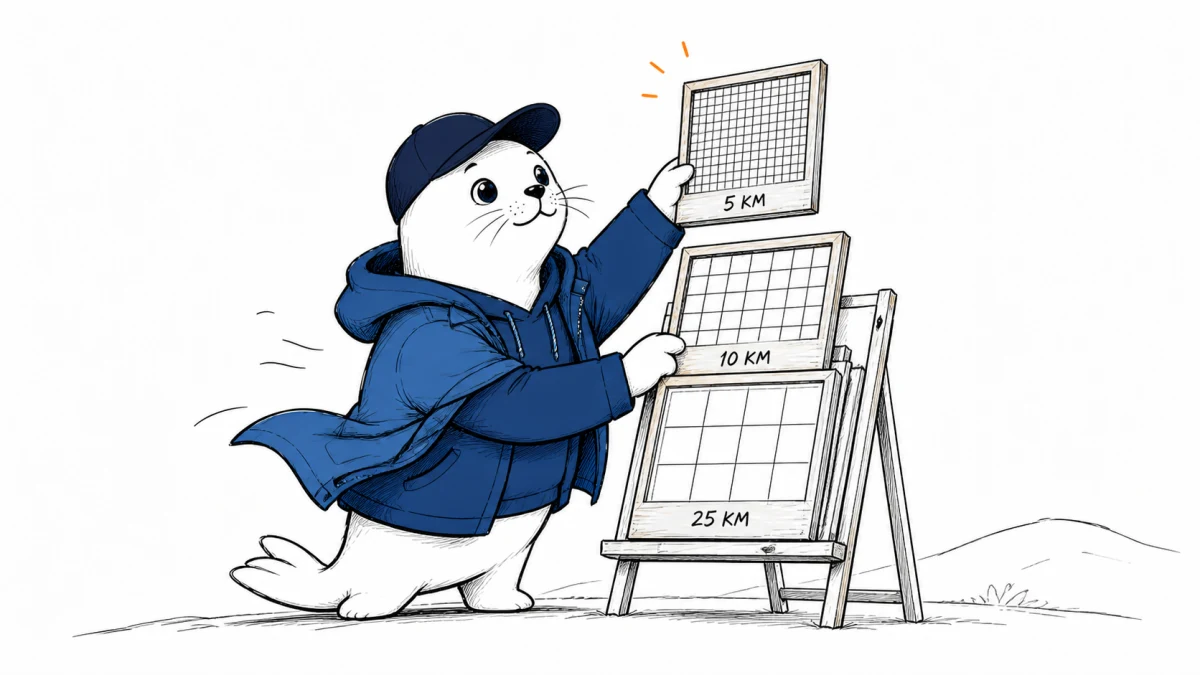
WeatherNext 3 offers a more detailed and more frequently refreshed picture of the weather. But “5 km” is not the resolution of every field, and an hourly update is not a promise that every local decision becomes more accurate. Builders need to inspect the forecast data behind the map.
Google announced WeatherNext 3 on September 3. The company describes hourly updates using satellite observations and a rollout into products including Search, Gemini, Maps, and its Weather API. Its accuracy comparisons are company-reported; Musthave.ai has not run an independent forecast evaluation.
Which WeatherNext 3 outputs get the finer detail?
Google’s developer overview describes a multi-resolution system rather than a single uniform grid. Read the launch-level summary this way, then check the exact field in the dataset you intend to consume.
| Output group in Google’s summary | Spatial detail | Practical check |
|---|---|---|
| Selected station-calibrated surface variables | 5 km | Confirm the variable, location treatment, and available product |
| Surface grids | 10 km | Inspect the field-specific grid and units |
| Atmospheric levels | 25 km | Confirm the pressure level or height before comparing outputs |
For a delivery app, the wrong assumption would be to display a precise-looking pin and imply street-level certainty. For an energy workflow, the wrong assumption would be to treat surface wind and wind at another atmospheric level as the same input. A smaller grid cell is a spatial specification, not a universal error bound.
Hourly refresh is not the same as hourly forecast steps
The WeatherNext 3 paper describes both new forecasts initialized every hour and hourly prediction time steps. It says low-latency geostationary satellite observations help initialize the updates, and describes learning from precipitation, cyclone, and station observations. That is a broader observation pipeline than simply starting a conventional forecast more often.
Your application needs two timestamps. Issue time tells you which forecast run you received. Valid time tells you the future moment a particular value describes. Without both, a dashboard can mistake an older prediction for a fresh one or compare forecasts with different lead times. The resulting chart may look plausible while answering the wrong question.
Build a forecast data contract before a weather feature
| Field to preserve | Why it belongs in the record |
|---|---|
| Model and dataset version | Makes later comparisons reproducible |
| Variable and unit | Prevents silent temperature, wind, or precipitation conversion mistakes |
| Height, level, and spatial representation | Prevents comparing different physical quantities or grids |
| Issue time and valid time | Separates data freshness from forecast lead time |
| Ensemble or probability information | Preserves uncertainty rather than hiding it behind one number |
| Retrieval time and missing-data status | Makes delays and fallback behavior visible |
I would put that record beside the value from the first prototype. Retrofitting it after users depend on the feature is harder: historical charts may already have discarded the information needed to explain a bad recommendation. If a feed omits a field you need, resolve that gap before treating the feed as operational evidence.
Separate forecast access from research code and weights
The developer site lists forecast-data access through Cloud Storage, Earth Engine, and BigQuery, alongside distinct custom-inference and open-source research routes. These are different deliverables. A link to research models does not by itself establish that the exact operational WeatherNext 3 weights are openly downloadable under the terms you need.
Check the current developer entry points for the chosen dataset and access method. Confirm billing, geographical coverage, usage restrictions, retention needs, and how missing forecasts are represented. Do not infer unrestricted commercial reuse from a public announcement or an accessible preview.
This launch also should not overwrite the distinct subject of our WeatherNext cyclone forecasting coverage. Global forecast deployment, specialist cyclone research, and an open-source release each need their own evidence and integration decisions.
A first-week shadow test can catch integration errors
- Choose a small set of locations and one operational question, such as whether a planning threshold would have been crossed.
- Save each forecast as it was issued, including timestamps, model version, and the field specification.
- Compare equal lead times against the same observation source and your current forecast baseline.
- Record missing updates and delayed retrievals, not only successful predictions.
- Run the resulting recommendation in shadow mode. Do not let the trial change safety-critical actions.
- Investigate mistakes in units, levels, timestamps, and location mapping before attributing every miss to the model.
A week can reveal a broken integration. It cannot establish skill across seasons, rare extremes, or every geography. Keep those claims out of an early product announcement. In particular, do not backfill the test with revised data that was unavailable when the decision would have been made; that would make the system appear better informed than it was.
Our TimesFM forecasting deployment guide covers another version of the same practical gap: a research result and a production forecasting system are not the same purchase.
My verdict: preserve uncertainty as carefully as the forecast
More frequent updates and finer spatial detail create useful options for developers. I would judge them by a specific decision, with a retained forecast record and a working fallback, rather than by the visual sharpness of the weather map. For dangerous weather, continue to use official meteorological warnings and established emergency procedures; a model integration is not a substitute for either.
Can your application explain which forecast run produced its last recommendation?
Checked September 4, 2026. Model specifications and performance descriptions are Google-reported. The paper is a research preprint. The integration checklist and shadow-test design are Musthave.ai analysis, not an independent accuracy benchmark.