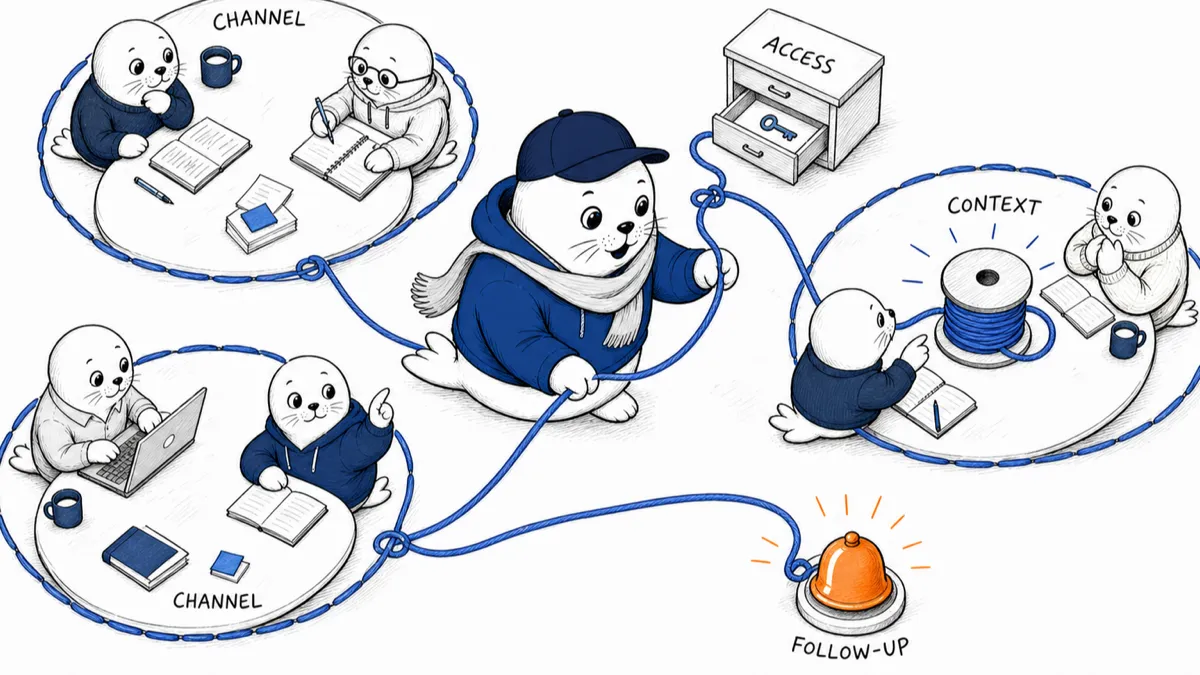
The interesting part of putting Claude in a team channel is not that another chatbot can answer a question. It is that the answer, the context, the permissions, and the follow-up can finally belong to the team instead of one person’s private tab.
Claude AI chats moved into a new phase on August 3 when Anthropic switched its Slack integration to Claude Tag. On Team and Enterprise plans, organizations can now mention @Claude in a channel, give it access to approved tools, let it remember relevant channel context, and watch the work unfold in a shared thread.
This is a beta, and it is priced by consumption. It also gives an AI identity access to workplace conversations and connected systems. The productivity case is obvious; the governance work is not optional.
Claude Tag changes who owns the conversation
Ordinary Claude AI chats are private. One person supplies context, reads the answer, and decides what to do with it. Channel tagging creates a shared working surface. Anyone in the channel can steer the task or pick up where a colleague left off.
Anthropic says Claude can remember relevant information from the channels it is in, follow up on its own, post when a job finishes, and flag a stalled thread. In a connected engineering workflow, commits and pull requests can appear under the Claude GitHub App identity with a link back to the Slack thread that initiated the work.
Three ways Claude now appears in Slack
- The same app has different context, billing, and visibility depending on where the conversation starts.
- Channel mention: Shared task, organization identity, channel-scoped tools, organization billing.
- Direct message: Private exchange using capabilities enabled in the individual Claude account.
- Assistant panel: Personal Claude access from anywhere in Slack without making the work public to a channel.
What Claude AI chats can do inside a channel
The practical sweet spot is work that already lives in a thread but keeps losing its owner. Claude Tag can summarize a long decision, inspect an approved repository, research an issue, prepare a follow-up, or run a scheduled task. Because the exchange stays visible, teammates can correct assumptions before the agent disappears into the wrong branch of work.
I would start with low-risk, inspectable jobs: weekly project recaps, stale-ticket checks, meeting follow-ups, repository triage, and drafts that require a human decision. I would not begin by connecting every private channel and asking Claude to “handle operations.”
Permissions are inherited in layers.
Anthropic documents three access levels. Organization-wide credentials and repositories form the base. A workspace can inherit that base for public channels. A private channel can receive additional credentials or repositories that do not belong elsewhere.
That hierarchy is useful, but inheritance creates a familiar risk: a broad permission granted at the top quietly reaches more channels than the owner expected. The safest rollout begins with a small organization-wide base and adds narrow access where a real workflow requires it.
The Claude Tag access stack
- Start narrow. Every lower layer inherits the permissions and memory above it.
- Organization: Credentials and repositories that apply wherever Claude Tag is installed.
- Workspace: Access and memory available to public channels in that Slack workspace.
- Private channel: Additional connections reserved for the smaller group in that channel.
The audit view is the feature I trust most.
Anthropic says owners can inspect scheduled and one-time tasks plus network calls made using the Agent Identity. Actions remain traceable in the destination tool, and a channel member can ask Claude which standing triggers are active.
That is the right design direction. Shared agents need a visible work log, not just a friendly personality. A team should be able to answer: who started the task, which tools were used, what changed, how much it cost, and how to stop it.
Claude Tag also supports organization-wide and per-channel spend limits, with alerts at 75% and 95%. Work that would exceed a limit is declined rather than being silently cut off. Channel mentions are billed to the organization; direct messages are billed to the individual account.
Memory makes Claude useful and less likely to be forgotten.
Claude Tag keeps channel and workspace memory, so the agent doesn’t start cold every morning. Owners can review, edit, and delete that memory. Conversations initiated in Slack remain separate from the user’s Claude chat history, and Slack retention policies still apply to the Slack side.
Anthropic says it automatically deletes conversations from Claude within 30 days after the integration is disconnected or uninstalled. That is not the same as saying every active channel memory disappears after 30 days. Teams should review retained context as part of normal channel cleanup.
A sensible first-week rollout
- Choose one channel. Pick a visible workflow with low-risk data and a clear owner.
- Connect one tool. Do not grant an entire company stack before the team understands the behavior.
- Set a channel spend cap. Make experimentation bounded from day one.
- Run one scheduled task. A daily recap or stale-item check is enough to test follow-up.
- Review the audit log together. Confirm that the actions match the thread and that everyone knows how to stop them.
If you need the broader model context first, read our practical guide to when I choose Claude over ChatGPT. For high-cost model routing, our Claude Opus 5 review is the better companion.
My verdict on Claude AI chats in Slack
Claude AI chats become more valuable when you share the work, corrections, and evidence. Claude Tag’s channel context, scoped access, spend controls, and audit trail make it more than a chatbot pasted into Slack.
The tradeoff is equally clear. A private assistant waits for one user. A shared agent remembers, follows up, and acts with organization-owned access. Give it a small job, narrow permissions, a budget, and a human owner before you admire how autonomous it feels.
Read Anthropic’s setup details.
- Start with Anthropic’s Claude Tag overview.
- Review the Claude in Slack setup requirements.
Which shared task would you let Claude handle first, and which channel would you keep off-limits? Tell me in the comments.
Research note: I checked Anthropic’s Claude Tag and Slack help pages on August 3, 2026, the day the integration switched to the new experience. Availability, billing, and beta behavior can change, so owners should verify the live admin documentation before connecting production tools.
September 25 update: personal connectors enter shared channels
Anthropic now lets Claude Tag use a person’s own connectors for a request that person makes in a Slack channel. That does not give every channel member access to the connector. It does mean Claude can combine information from the channel’s shared tools with information only the requester can open, then post an answer everyone in the channel can see. The rollout is under way for Team plans; Anthropic says Enterprise will follow.
The requester can review each response before it appears, or use auto mode, in which Claude posts automatically unless it identifies sensitive content requiring review. For confidential documents, review mode is the safer default: a correct connector permission does not automatically make the resulting summary appropriate for the whole channel. Anthropic says Enterprise admins will be able to require review for everyone, but describes that control in future tense.
Audit trails also split at the permission boundary. Actions through a personal connector appear in that tool’s log under the requester’s account; work through a channel connector stays under the channel service account. Personal connectors cannot power unattended or scheduled routines, which still require admin-attached shared connectors. Teams should map each tool to one of those two identities, decide which answers may be posted publicly in a channel, and test the review path before inviting sensitive work.