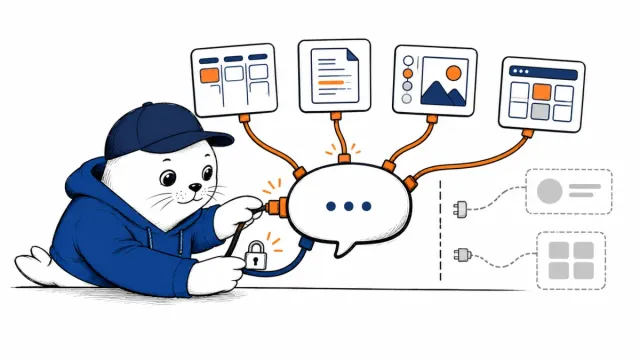
The first time an AI asks to read your calendar every morning, the interesting question is not whether it can make a briefing. It is whether that briefing is worth the access you are about to grant.
Meta AI just picked up a shift schedule
Meta changed its assistant from something you prompt repeatedly into something that can keep a job on its list. The company says Meta AI can now make plans, connect to email and calendar apps, research a topic, build slides, and return with recurring updates after you set the task once.
The new behavior is powered by Muse Spark 1.1. It started rolling out on July 24 in select markets through the Meta AI app and meta.ai. Meta says WhatsApp and more countries will follow in the coming weeks, but it has not published a complete market list or a firm WhatsApp date.
This is more useful than another chatbot upgrade. It is also where the permission conversation gets real.
What changed inside Meta AI
The assistant now has several ways to continue work beyond a one-off answer.
- Connect Work with your apps Email and calendar Use personal context to find conflicts, changed plans, or a workable time.
- Repeat Keep a task running Daily or weekly updates Set up a briefing, meal plan, product alert, or topic update once.
- Produce Turn research into slides Reports and presentations Research across the web, then package the findings into something shareable.
The useful examples are surprisingly ordinary
Meta’s launch examples are not dramatic. That is a good sign. A daily briefing can flag a double booking or a changed appointment. A running plan can adjust around your availability and arrive every Monday. A birthday dinner request can combine restaurant research with an open night on your calendar.
There are more creative jobs too. Meta says the assistant can scout Facebook Marketplace for items that fit a renovation budget and assemble a mood board. It can also research a subject and generate a slide deck, with the user changing the focus or tone while the work is still underway.
The steering matters. Long agent runs are frustrating when the only choices are “wait” and “start over.” Being able to redirect the work halfway through is a practical improvement, assuming it behaves as advertised outside Meta’s demos.
Start with your calendar, not your entire digital life
My honest advice is to treat this as a permission ladder, not an all-or-nothing setup. The first useful test does not need access to everything.
A safer way to test the new agent
This is MustHave.ai’s rollout order, not Meta’s official setup sequence.
- Rung 1 Try a task with no connected app Ask for research or a slide outline first. Learn how well the agent follows your instructions before sharing personal context.
- Rung 2 Add calendar access for one bounded job A morning schedule summary is easier to inspect than a vague request to “manage my day.”
- Rung 3 Connect email only when the task needs it Read the consent screen and look for the narrowest available permission. Do not assume read access, sending access, and retention are the same thing.
- Rung 4 Keep sensitive and irreversible work outside the test Do not begin with financial, medical, legal, or client-confidential mailboxes. Keep sending, purchasing, deleting, and publishing behind human approval.
That order gives you something concrete to measure. Did the briefing catch a real conflict? Did it omit an appointment? Could you see which source produced each claim? A vague feeling that the assistant is “smart” is not enough once it can keep working after you leave.
Meta’s privacy pitch leaves important blanks
Meta points users toward Incognito chats when they want a private conversation. What the launch post does not explain is how Incognito works with connected app data, whether recurring tasks can use it, how long connector data is retained, or what activity log a user gets after the agent finishes.
That does not prove anything bad is happening. It means the announcement is incomplete in exactly the place where a cautious user needs detail. Before connecting Gmail or Google Calendar, I would look for clear answers to four questions:
Four checks before you tap Connect
If the consent screen does not answer these, wait for the documentation.
- 1 Which data can it read? Look for specific scopes rather than a broad promise that the connector is secure.
- 2 Can it write, send, delete, or buy? Reading a calendar and changing one are different risk levels.
- 3 Where can you review and revoke access? A useful agent needs a visible activity history and a simple off switch.
- 4 Does the task require the whole mailbox? If the answer is no, do not grant broad access merely to make setup faster.
Meta has not supplied all of those answers in the announcement. The actual connector screen may provide more detail, and the available permissions may differ by app or market. Read what is on your screen rather than relying on a launch video.
This is Meta catching up, not winning the agent race
Axios reports that Gmail and Google Calendar are among the connections and notes that agents from OpenAI, Anthropic, and Google can still handle a broader range of longer jobs. That sounds right to me. Meta’s advantage is not that it suddenly has the most capable agent. Its advantage is distribution.
If the same recurring assistant reaches WhatsApp, it lands inside an app many people already open all day. A weekly planning feature that feels niche on a standalone AI website can become normal very quickly when it sits beside family chats and work messages.
We have seen this distribution question before with Meta’s AI video features. Reach can make an AI tool useful faster, but it also raises the cost of unclear controls. For a plain-English explanation of the broader category, read our guide to what agentic AI actually means.
The job is useful when the boundary is boring
I can see myself using a morning calendar briefing. I would not hand over a twenty-year inbox on day one to get it.
The best version of this feature is almost boring: a narrow task, a clear schedule, visible sources, and an activity log that makes every action easy to inspect. The bad version is a broad “organize my life” instruction attached to more data than the job requires.
Meta AI is clocking in. Before you give it a badge, decide which rooms it actually needs to enter.
Try it with one bounded task
- Read Meta’s feature announcement.
- Review the Muse Spark 1.1 launch details.
- Compare Meta’s approach with our guide to recurring work in Grok.
Would you connect your inbox to Meta AI for a daily briefing, or is the calendar as far as you would go? Share your line in the comments.
Research note: Product capabilities and rollout details were checked against Meta’s July 24 announcement, Meta’s Muse Spark 1.1 documentation, Axios, and The Indian Express on July 25, 2026. The permission ladder is MustHave.ai editorial guidance.