Amazon Merch on Demand is one of the lowest-risk ways to sell physical products, no inventory, no shipping, no upfront cost. Which is exactly why it’s drowning in AI-generated junk. Here’s how to use AI to go from a niche idea to an upload-ready design that actually sells, without becoming part of the noise.
Start with a buyer, not a design
The number one mistake I see: people open an image generator before they’ve thought about who’s buying. Merch doesn’t reward pretty art, it rewards identity. People buy shirts that say something about who they are: their job, their hobby, their hometown, their sense of humor.
So start there. “Funny gift for night-shift nurses.” “Proud pickleball grandma.” “Sarcastic quote for software developers.” The tighter and more specific the niche, the better it converts, because the buyer sees it and thinks “that’s literally me.” AI can help you brainstorm and expand these angles, but the judgment about which niche has real, buying demand is yours to make.
Use AI where it’s actually strong
Here’s the key insight for Merch specifically: most shirts sell on text, not imagery. And plain image generators are notoriously bad at rendering readable text. So match the tool to the job.
- For text-based designs (the majority of Merch): use Ideogram, which renders clean, correctly-spelled lettering, or design the type properly in a tool like Kittl.
- For illustrated or graphic designs: a style model like Midjourney is great for the artwork, just add any text afterward in a design tool so it stays crisp.
- For ideation: use a chat model to expand a niche into 50 slogan angles, then pick the handful with real potential.
The winning combo is usually AI for the concept and a proper design tool for the finish, not one prompt doing everything at 60%.
Get the file right (or get rejected)
This is the boring part that trips people up. Amazon has real technical requirements, and sloppy files get bounced. Aim for a transparent PNG, roughly 4500 x 5400 pixels at 300 DPI, under the platform’s file-size limit, in the correct color space. Design with the print area and the shirt color in mind, a design that looks great on white can vanish on black.
Zoom your design down to thumbnail size before you upload. If the text isn’t readable there, it won’t sell, because that’s how customers first see it.
Trademark hygiene is not optional
Now the rule that can end your account, so treat it as sacred. Do not put brands, logos, characters, sports teams, song lyrics, or celebrity names in your designs, even as a “parody,” even if you’ve seen others do it. Amazon’s trademark enforcement is strict, and violations can get your account suspended, not just the single design removed.
A quick habit that saves you: before uploading a phrase, do a basic trademark search on it. Plenty of innocent-looking slogans are registered. Thirty seconds of checking beats losing your whole shop.
Play the tier system like a pro
One thing beginners misunderstand: Merch starts you with a small number of design slots, and you unlock more by actually selling. That structure is a gift, not a limit, it forces quality over spray-and-pray. Your early designs should be your best researched ideas, because getting those first sales is how you earn the room to scale.
So resist the “upload 100 AI designs” urge. It’s mathematically impossible at the start anyway, and it’s the wrong instinct. A handful of genuinely good, well-researched, cleanly-produced designs will climb the tiers far faster than a pile of generic AI slop.
Your upload-ready checklist
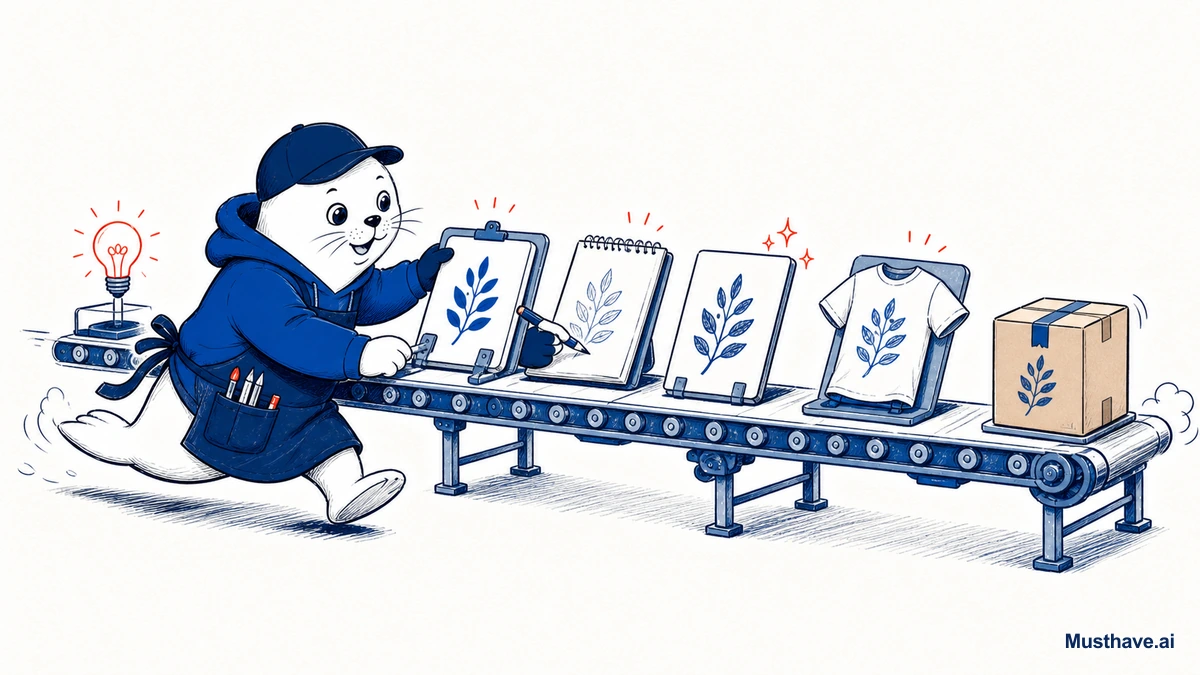
Put it together and here’s the flow: pick a specific niche with real buyers → brainstorm angles with AI → create the design (Ideogram or Kittl for text, a style model for art) → clean it to spec (transparent PNG, correct size, readable at thumbnail) → run a trademark check → upload with an honest, keyword-clear title. One good design done right beats fifty done fast.
How to escape Tier 10 fast
New Merch accounts start with only a handful of design slots, and you unlock more by selling, so your first designs can’t be experiments. Make them your best-researched ideas. A tactic that works: fill your opening slots with one or two evergreen niches (professions and hobbies people buy for year-round) plus one design timed to an upcoming occasion or season, where buying intent spikes. You only need a few early sales to level up to the next tier. Treat those first slots like your storefront window, because that’s exactly what they are.
What niche are you thinking about for Merch? Drop it in the comments and I’ll tell you how I’d angle it and which tool I’d start with.
Verification sources and related guides
Primary reference: Amazon Merch on Demand content policies. This is the controlling platform or government guidance. Recheck it before publishing, deploying, or selling because rules and eligibility can change.