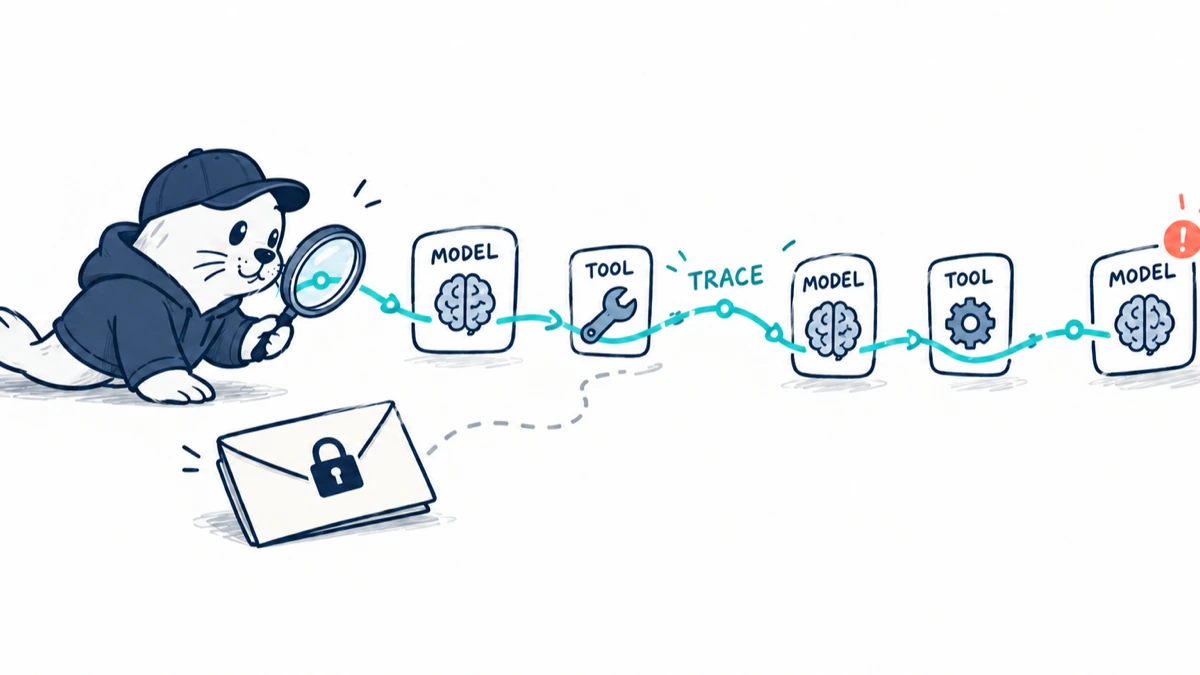
GitHub is giving enterprises a standard way to trace Copilot agent sessions across model requests and tool calls without capturing prompt or response content by default.
What GitHub Copilot OpenTelemetry records
GitHub Copilot OpenTelemetry support is configured through enterprise-managed settings. GitHub says administrators can follow the flow of an agent session, including calls to AI models and the tools an agent uses. The same traces can help investigate unexpected behavior step by step.
OpenTelemetry is valuable here because it lets organizations send agent activity into monitoring systems they already operate. Agent traces can sit beside application, network and service telemetry instead of being isolated inside one coding tool.
The default privacy boundary matters
GitHub states that prompt and response content is excluded by default. Administrators must review content-capture settings before enabling bodies. This default limits accidental collection of source code, secrets, personal data and proprietary instructions, while still allowing structural traces.
| Telemetry layer | Operational value | Privacy question |
|---|---|---|
| Model request span | Shows timing, model path and failure sequence | Does metadata reveal repository or user information? |
| Tool span | Shows which capability ran and when | Are arguments or results captured? |
| Prompt and response bodies | Explains the exact semantic context | Excluded by default; enabling can collect sensitive content |
| Enterprise export endpoint | Centralizes monitoring | Who can query, retain and transfer the data? |
How to configure the control plane
GitHub directs administrators to the telemetry property in managed-settings.json. The setting enables export and specifies the endpoint receiving the data. Central configuration prevents every developer from creating a different monitoring path, but it also means a settings change can affect many users at once.
- Use a dedicated authenticated collector endpoint.
- Filter secrets and personal fields before long-term storage.
- Set retention separately for metadata and captured content.
- Restrict trace access to engineering and security roles with a clear purpose.
- Record managed-settings changes in the organization audit process.
A practical incident investigation workflow
- Start from a failed build, unexpected file change or user report.
- Locate the Copilot session trace and identify the initiating request.
- Follow model and tool spans in order, including retries and fallbacks.
- Compare the tool scope with enterprise policy and the user’s authorization.
- Inspect content only when policy permits and metadata is insufficient.
- Link the finding to the resulting commit, review and remediation.
- Preserve a minimal evidence set and delete unnecessary sensitive content.
Observability does not make an agent correct
A complete trace can explain that an agent called a tool, received a result and wrote a patch. It cannot prove the result was true, the patch satisfied the requirement or the reviewer understood the risk. Teams still need tests, policy checks and human ownership for consequential changes.
Our Copilot review and usage-metrics guide explains why activity counts need outcome measures. The Copilot JetBrains sandbox guide covers the enforcement layer that should complement telemetry.
Five metrics worth deriving from agent traces
- Completed-task latency, not only model latency.
- Tool calls and retries per accepted change.
- Approval interruptions by action category.
- Sessions requiring manual rollback or major reviewer correction.
- Cost and failure rate by model, repository and workflow.
Those metrics help teams find workflow friction without ranking individual developers by raw AI usage. The most useful unit is a completed, accepted task with known quality, cost and review effort.
The practical verdict
OpenTelemetry gives Copilot enterprises a much-needed operational record for agent behavior. The strongest configuration starts with metadata-only traces, a short retention period and controlled escalation to content capture. Treat the traces as evidence for investigation and improvement, not as a substitute for authorization, testing or software accountability.
Before enabling export broadly, security and developer-platform teams should agree on an attribute allowlist, a retention window and who may query raw traces. They should also test redaction with repository names, branch names, command arguments and tool errors, because sensitive context can appear outside a prompt. A useful pilot correlates a trace with the resulting pull request and review outcome while avoiding individual productivity scoring.
That pilot should answer three operational questions: can an investigator reconstruct the agent’s route, can the organization identify repeated failure patterns, and can it do both without collecting source content by default? If the answer to any is no, more telemetry volume will create storage and privacy cost without delivering dependable oversight.
Primary sources
- GitHub: OpenTelemetry in the Copilot app
- GitHub Docs: OpenTelemetry for agent monitoring
- OpenTelemetry project
Checked September 23, 2026. Prompt and response content is excluded by default according to GitHub; administrators should verify their managed settings before rollout.